

Trip.com Map View: Find Cheap Flights with Interactive Map


If you’re flexible with where or when you travel, Trip.com’s Map View is a powerful tool to uncover cheap flights you might otherwise miss.
Instead of searching one destination at a time, Map View lets you visually compare fares and spot the best deals at a glance.


What Is the Trip.com Map View?

Trip.com Map View is a feature that displays flight prices on an interactive world map.
You can see multiple destinations and their fares at once, making it ideal for travelers who want the cheapest option, not just a fixed route.
It’s especially useful if you’re open to different destinations or planning a spontaneous trip.
How to Access Map View on Trip.com
Step 1: Open the Trip.com website or app
- Select 'Flights'
- For those using the app, you’ll want to head over to the ‘Flights’ tab.
- From there, scroll down to ‘Travel Inspiration’ and click the arrow next to the ‘Explore the World’ title.


Step 2: Enter your departure city
- Pick your travel dates (or keep things flexible)

Step 3: Switch to "Map View" to see prices displayed across destinations
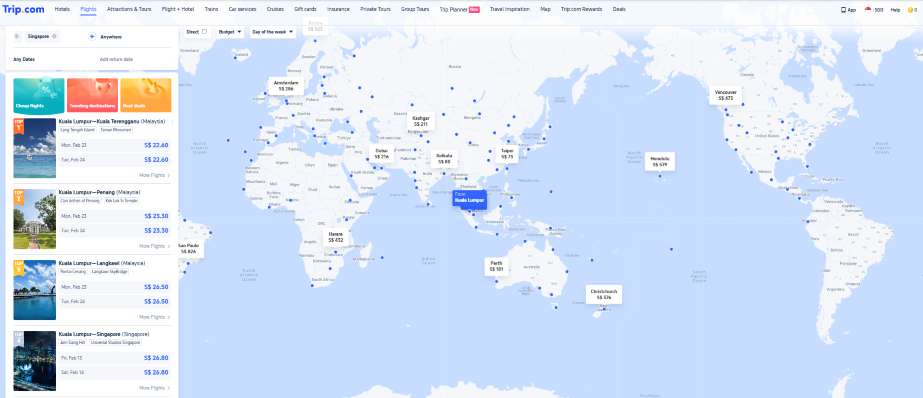
How to Find Cheap Flights Using Map View?
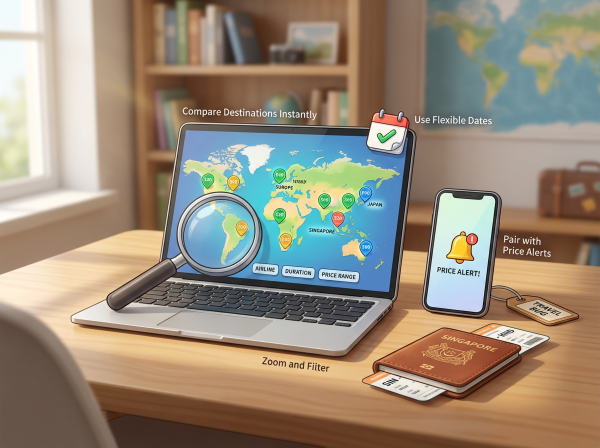
🌍 Compare Destinations in a Flash
Instead of guessing where to go, Map View shows you prices across regions and countries. It’s a great way to discover unexpectedly affordable destinations!
📅 Use Flexible Dates
Changing your travel dates in Map View can reveal big price differences. Midweek departures and off-peak days often show noticeably lower fares.
🔍 Zoom and Filter
Zoom in on specific regions or apply filters like airlines, flight duration, or price range to narrow down the best-value options.
🔔 Pair with Price Alerts
Once you spot a route you like, set up price alerts so you’ll be notified when fares drop further.
When Is Map View Best?

Trip.com Map View
- When you’re flexible with your destination
- Planning trips during off-peak or shoulder seasons
- Searching for budget-friendly getaways
- Looking for last-minute or spontaneous travel deals
Pro Tips for Bigger Savings
- Check out Map View late at night or midweek
- Combine low fares with Trip Coins, cashback, or credit card promotions
- Keep an eye on prices for a few days before you book
Final Thoughts
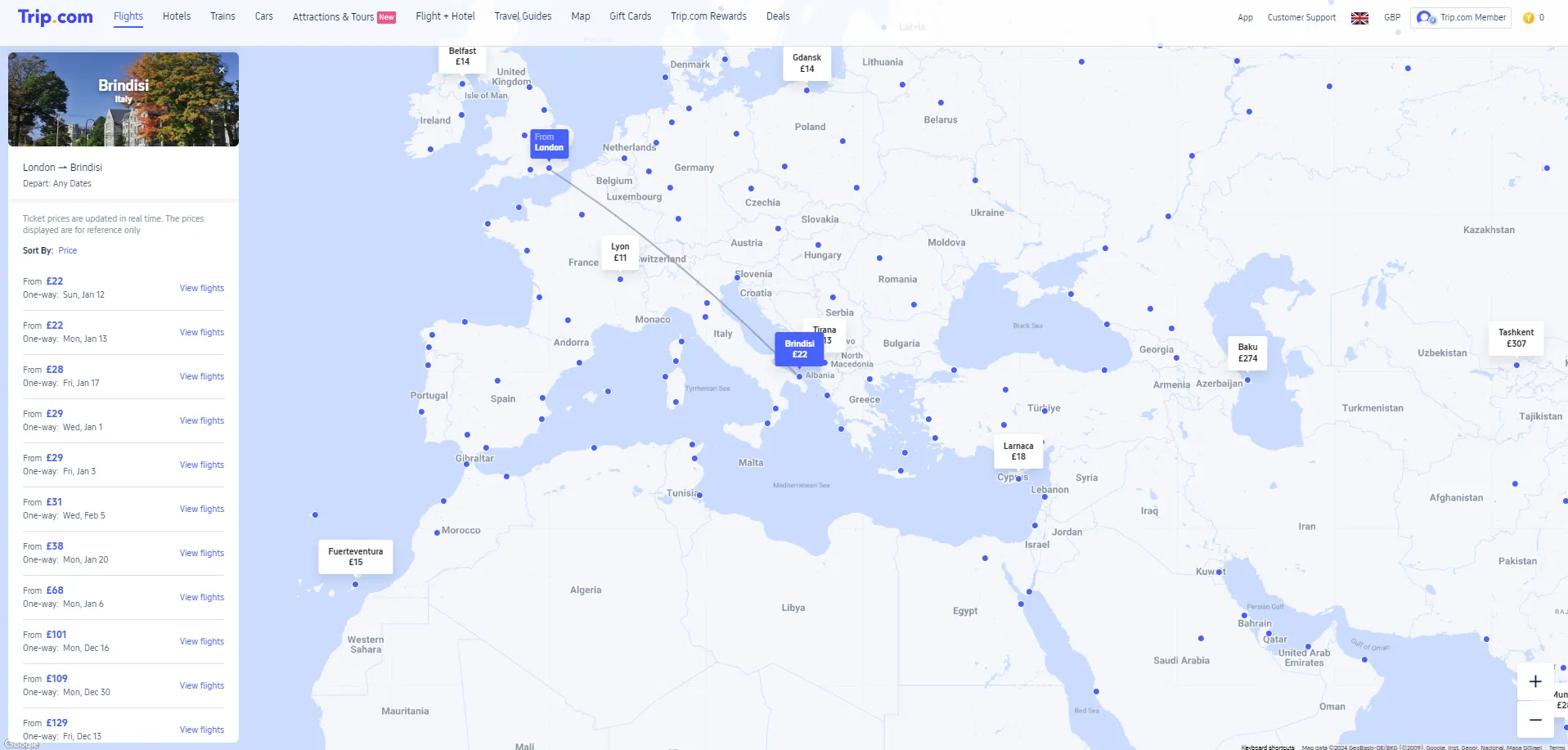
Trip.com Map View turns flight searching into a visual experience, making it easier to spot low fares and travel smarter.
If you’re chasing the best deals and are open to new destinations, this tool can help you stretch your travel budget and uncover hidden gems around the world.
FAQ: Trip.com Map View for Cheap Flights
-
What is Trip.com Map View?
-
How do I access Map View on Trip.com?
-
Can I find cheaper flights using Map View?
-
Does Map View support flexible travel dates?
-
Is Trip.com Map View available on mobile?