Trip.com Payment Methods | Accepted Cards & Secure Options

Trip.com provides a range of payment methods to accommodate travellers worldwide. Below is an overview of the available options and how to use them for a smoother booking experience.
Trip.com Payment Methods
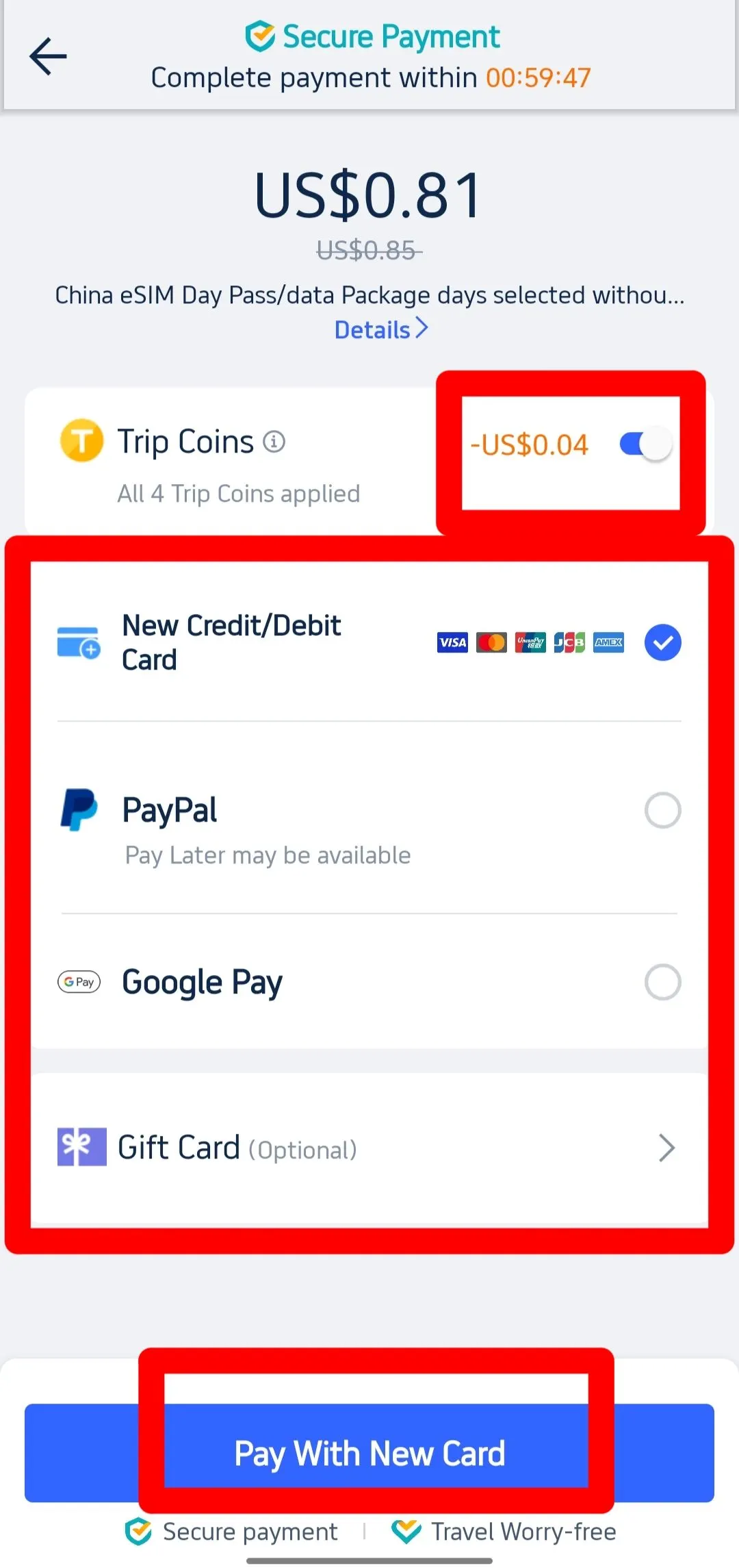
• Credit/Debit Card: Accepted across all platforms, including iOS, Android, Desktop, and Mobile Web.
• PayPal: Available on all platforms.
• Google Pay: Supported on Android, Desktop, and Mobile Web.
• Apple Pay: Available exclusively on iOS devices.
• Trip Coins: Can be used on all platforms.
• Gift Cards: Redeemable on all platforms.
Common Payment Methods on Trip.com
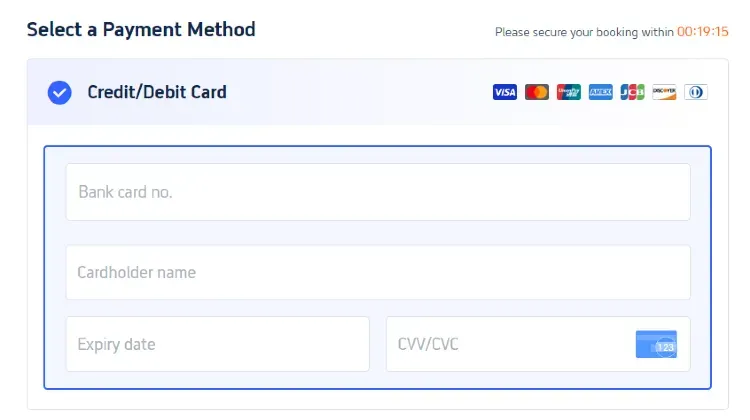
Credit/Debit Card
Paying with a credit or debit card is simple and secure. Trip.com supports major card providers, including Visa, JCB, MasterCard, UnionPay, American Express, Discover, and Diners Club International.
Step | Action |
|---|---|
1 | Select “Credit/Debit Card” as your payment method. |
2 | Enter the cardholder’s name, card number, expiration date, and security code (CVV/CVC). |
3 | Review your payment details and submit the payment. |
Electronic Payment Methods on Trip.com

PayPal
PayPal enables secure payments without the need to re-enter your card details for every transaction.
Step | Action |
|---|---|
1 | Select “PayPal” on the payment page. |
2 | You will be redirected to the PayPal login screen. |
3 | Log in to your PayPal account and confirm the payment. |
Google Pay

Google Pay is a convenient payment option for Android users, allowing you to use the cards saved in your Google account.
Step | Action |
|---|---|
1 | Add your preferred card to your Google Pay account. |
2 | Select “Google Pay” on the Trip.com payment page. |
3 | Follow the on-screen prompts to complete your payment. |
Apple Pay
Apple Pay offers a fast and seamless payment experience for iOS users.
Step | Action |
|---|---|
1 | Make sure your card is added to Apple Pay. |
2 | Select “Apple Pay” at checkout (iOS only). |
3 | Authenticate and confirm your payment. |
Reward-Based Payment Methods on Trip.com

Trip Coins
Trip Coins are part of Trip.com’s rewards program and can be used to lower the cost of your bookings. You can earn Trip Coins through hotel and flight bookings, writing reviews, and participating in Trip Moments.
Step | Action |
|---|---|
1 | Choose a service to book (hotel, flight, etc.) on Trip.com. |
2 | On the payment page, select the option to use your Trip Coins. |
3 | Complete the payment with the updated amount. |
How to Earn Trip Coins:
- Hotel and flight bookings: Earn coins after completing your stay or trip.
- Writing reviews: Receive coins for submitting reviews of hotels and attractions.
- Trip Moments: Post and interact with content to earn extra coins.
Trip Coins can be used for bookings such as hotels, flights, train tickets, activities, transfers, and car rentals on Trip.com. The standard conversion is about 100 Trip Coins = US$1, while the SGD value varies depending on exchange rates and promotions. Trip Coins can generally be redeemed without a minimum threshold.
Gift Cards
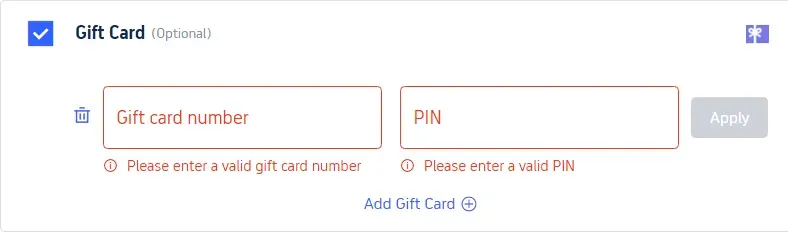
Trip.com gift cards can be combined with other payment methods if the gift card balance is insufficient to cover the full booking amount
Step | Action |
|---|---|
1 | Select “Gift Card” at the payment stage. |
2 | Enter the gift card number and PIN. |
3 | If the gift card balance is not enough, pay the remaining amount using another payment method. |
Why Book with Trip.com?
Trip.com is a global online travel agency offering 24/7 customer support in multiple languages. Users can book flights, hotels, and other travel services, while eligible Trip.com Rewards members can enjoy benefits such as Trip Coins, airport lounge access, and other exclusive perks based on their membership tier.
Explore Promotions and Deals on Trip.com to enjoy even greater savings!