

China eSIM Not Working? Here's How to Fix It Quickly!

Oleh Tom
27 November 2026
Arrived in China but your eSIM isn't working? Don't panic just yet! Whether you're in Shanghai, Beijing, Guangzhou, or Shenzhen, a few simple phone settings could be the reason you're unable to get online. Most China eSIM issues are caused by incorrect mobile data settings, a disabled eSIM line, Data Roaming being turned off, or your phone connecting to the wrong network. Before buying another data plan, I'd recommend checking these four things first:
- Check your eSIM installation: Make sure your China eSIM has been installed successfully.
- Turn on your eSIM line: Ensure it's enabled in your phone settings.
- Select your eSIM for mobile data: Make sure your travel eSIM is your preferred data line.
- Enable Data Roaming: Some providers require it to be switched on.
If you can access Chinese apps like WeChat or Amap but not certain overseas websites, your eSIM may already be working. The issue could be related to China's internet restrictions or your provider's network routing.
Still can't get online? Let's go through some common problems and fixes! 📱


👨🔧 How to Troubleshoot a China eSIM That Is Not Working?
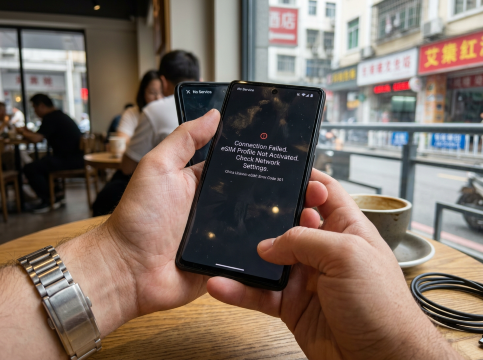
Arrived in China but still can't get online? Don't worry! Before contacting customer service, I'd suggest checking your eSIM settings one by one. Most issues can be fixed with a few simple adjustments, and each check only takes about a minute.
📲 On an iPhone:
- Open Settings.
- Tap Cellular or Mobile Data.
- Check whether your China travel eSIM appears under SIMs.
- Select it and make sure Turn On This Line is enabled.
📲 On an Android phone:
- Open Settings.
- Go to Connections or Network & Internet.
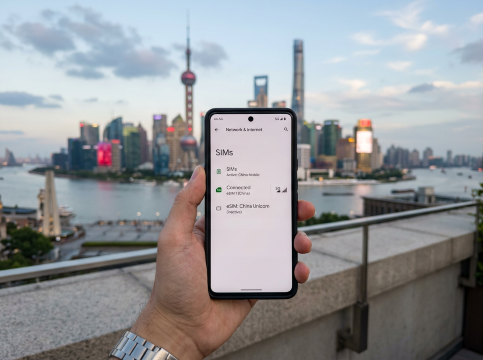
- Select SIM Manager or SIMs.
- Check that your travel eSIM is listed and switched on.
If your eSIM is missing, check your installation instructions and purchase confirmation before trying anything else.
🔍 Step-by-Step China eSIM Troubleshooting Checklist
| 🔍 Step | ✅ What to Check | ❓ What to Do If It Doesn't Work |
|---|---|---|
1. eSIM Installation | Your travel eSIM appears under SIMs | Check your order and contact your provider if it's missing |
2. eSIM Activation | Turn On This Line is enabled | Switch it on or contact your provider if the plan shows as expired |
3. Mobile Data Line | Your travel eSIM is selected for mobile data | Change the selection from your home SIM to your travel eSIM |
4. Data Roaming | Data Roaming is switched on for your travel eSIM | Enable it if your provider requires it |
5. Network Mode | Your phone supports the available 4G or 5G network | Try switching from 5G to 4G/LTE |
6. APN Settings | Your APN matches your provider's instructions | Enter the correct APN if it's missing or incorrect |
7. Restart Connection | Turn on Airplane Mode for 30 seconds, then switch it off | Restart your phone if there's still no signal |
8. Manual Network Selection | Your phone connects to a supported network operator | Turn off Automatic Selection and choose the network specified by your provider |
9. Data Balance | Your plan is still valid and has data remaining | Top up or wait for your daily data reset if applicable |
10. Test Another Phone | Check whether the same plan works on another compatible phone | Contact your provider if the issue continues |
11. Contact Support | Have your order details and phone information ready | Ask for help with activation, network connection or a replacement eSIM |
📲 For iPhone users, remember to enable Data Roaming specifically for your travel eSIM, not your Malaysian SIM. This helps you avoid unexpected roaming charges on your home line.
🔍 When Your Settings Are Correct but Nothing Loads
Sometimes, your eSIM is installed and activated correctly, but you still can't connect. This could be a network selection or APN issue.
Different China travel eSIM plans may connect through different local network operators, such as China Mobile. Check your booking details to see which network your plan supports. If automatic network selection isn't working, try switching it off and manually selecting one of the supported operators.
Next, check your APN (Access Point Name) settings. Compare the APN on your phone with the details provided in your eSIM confirmation email. Even a small typo can prevent your mobile data from working.
🔍 What Information Should You Send to Customer Support?
Still stuck? Don't waste too much time trying random settings. Contact your eSIM provider and prepare these details to help them investigate:
- Your Trip.com order number
- Your phone model
- Your phone's software version
- A screenshot of your eSIM and network settings
- A short description of the issue
If you purchased your eSIM through Trip.com, open the app, go to your booking and tap Customer Service for assistance.
✅ China eSIM Connected but No Internet? Here's What to Check
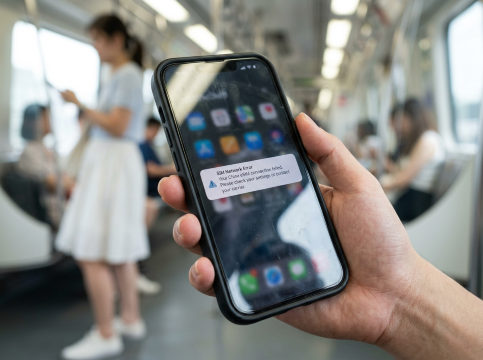
Sometimes, your phone shows that your China eSIM is connected, but nothing seems to load. Before changing more settings, I'd recommend doing a quick check to find out whether it's actually a connection problem or an app restriction.
🕛 A 60-Second Internet Connection Test
First, turn off Wi-Fi so you're only using your eSIM's mobile data. Then, try opening a Chinese app like Amap, WeChat or Trip.com, followed by an overseas website or app you normally use. Here's how to understand the results:
| 🔍 What Happens | 💡 What It Means | ✅ What to Do Next |
|---|---|---|
Nothing loads, including Chinese apps | Your mobile data connection isn't working | Recheck your eSIM, roaming and network settings |
Chinese apps work, but overseas apps don't | Your data connection may be working, but certain services aren't accessible through your plan | Check your eSIM plan's supported apps and ask your provider |
Everything loads very slowly | You may have a weak signal, network congestion or reduced speed after reaching your data limit | Move somewhere with better reception, try 4G or check your remaining data |
Internet worked before but suddenly stopped | Your data may have run out or your plan may have expired | Check your provider's app and top up if needed |
Apps only work when connected to Wi-Fi | Mobile data may be disabled or the apps may not have permission to use it | Check Settings and allow mobile data access for those apps |
🔍 Why Do Different China eSIMs Work Differently?
Not all China eSIMs work the same way! Generally, there are two common options:
- International travel eSIM: These plans usually connect through roaming agreements with local Chinese mobile operators. Depending on the provider's network routing, some overseas apps and websites may remain accessible.
- Local Chinese SIM: This works like a regular mainland China mobile line and follows local internet regulations. Some overseas services, such as Google and WhatsApp, may not be accessible.
That's why two travellers using different China eSIMs can have completely different internet experiences, even when they're in the same city! Before purchasing, I'd suggest checking the product page carefully. Some Trip.com China eSIM plans specifically mention support for services like Google Maps and ChatGPT. Always check the latest product details rather than assuming every plan offers the same access.
🔍 What Can Your eSIM Provider Help With?
If you're still having trouble, your provider can help check your plan and connection status.
| 🔍 Your Provider Can Help With | 💡 Your Provider Cannot Directly Fix |
|---|---|
Check whether your eSIM is active | Change your phone settings remotely |
Check your remaining data balance | Repair an incompatible or locked phone |
Provide a replacement eSIM if eligible | Guarantee access to every overseas app |
Help troubleshoot network connection issues | Make unsupported apps work with your plan |
Advise on top-ups or plan validity | Fix physical phone or hardware problems |
📲 My tip: Don't just choose the cheapest China eSIM! Compare different plans on Trip.com and check which apps they support before booking. It'll save you quite a bit of trouble when you're already travelling around China.
❓ How to Set Up Your China eSIM Before and After Arrival?
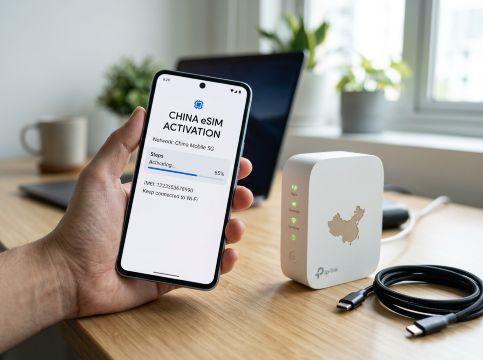
I'd recommend getting everything ready the night before your flight so you can connect more easily once you land.
📲 China eSIM Pre-Departure Checklist
| 📅 When | ✅ What to Do | 💡 Why It Helps |
|---|---|---|
3 or more days before | Check that your phone supports eSIM and is network-unlocked. Buy your plan and read the activation, coverage, hotspot and refund policies | Avoid last-minute surprises |
1–2 days before departure | Install your eSIM using a stable Wi-Fi connection and rename the line "China" | Makes it easier to identify your travel eSIM |
The night before | Check your roaming settings, keep your home SIM's mobile data off if you don't need it, and screenshot your QR code, order number, APN and support details | Saves time and keeps important information accessible offline |
When you land | Turn off Airplane Mode, select your travel eSIM for mobile data and wait a few minutes for the network to connect | Gives your phone time to find a supported network |
Before leaving the airport | Run the 60-second internet test to check whether your connection works | You can troubleshoot while airport Wi-Fi and assistance are still available |
Before leaving home | Prepare a backup internet option | Helps you stay connected if something goes wrong |
❓ Install Now, Activate Later: What's the Difference?
These two terms might sound similar, but they aren't quite the same:
- Installed: Your eSIM has been added to your phone and is ready for use.
- Activated: Your eSIM has started its service according to the provider's activation rules.
Many travel eSIMs only start counting their validity once they connect to a supported network at the destination. However, some plans follow different activation rules, so always check your booking details before installing.
One more thing if you're taking a Hong Kong stopover! If your eSIM covers both Hong Kong and mainland China, connecting in Hong Kong may start your plan's validity earlier than expected. Check the coverage and activation policy before switching it on. Also, if you're using a China Mobile Hong Kong prepaid SIM, check its activation requirements carefully. Some prepaid products have specific restrictions on where they can be activated.
📱 My advice: Don't leave eSIM installation until you arrive in China. Some phones sold in mainland China may not support installing overseas carrier eSIMs, so it's much safer to check your phone compatibility and complete the installation before departure.
⚙️ China eSIM Compatibility: Dual SIM and Device Settings
Sometimes, your eSIM plan isn't the problem. Your phone could be the one causing trouble! Factors like phone compatibility, carrier restrictions and dual SIM settings can all affect your connection. Before buying another data plan, I'd recommend checking these things first.
🔍 Does Your Phone Support eSIM?
Here's a quick way to check: dial *#06# on your phone. If you see an EID number, your device generally supports eSIM. For iPhone users, you can also go to Settings > General > About to check your device information.
💡 One important thing: where you purchased your phone matters too! Some iPhones sold in mainland China, Hong Kong and Macau use physical SIM cards instead of eSIM. For Android users, check your exact phone model on the manufacturer's website, as eSIM support varies between models and regions.
🔍 Is Your Phone Carrier-Locked?
Some phones purchased through mobile contracts may be locked to a specific network, which means they can't use another provider's SIM or eSIM. For iPhone users, go to Settings > General > About > Carrier Lock. Ideally, you should see No SIM Restrictions. If your phone is locked, contact your home mobile provider to ask about unlocking it before your trip.
🔍 Check Your Dual SIM Settings
Using your Malaysian SIM and China travel eSIM together? No problem! Just make sure you've selected the correct line for mobile data. I'd recommend keeping your home SIM for calls and SMS, especially if you need to receive banking OTPs, while using your China eSIM for internet access. Remember, only one SIM line can be selected for mobile data at a time. After restarting your phone, double-check that your travel eSIM is still selected.
🔍 Can You Use Your eSIM for Hotspot Sharing?
Want to share your internet with your travel buddies? Whether your China eSIM supports Personal Hotspot depends on the provider and plan. Check the product details before purchasing. If you're using an iPad with eSIM support, the setup process is generally similar to an iPhone. For smartwatches, check with your home mobile provider about compatible cellular plans and roaming options.
🔍 Alternatives If Your Phone Can't Use an eSIM
If your phone doesn't support eSIM or you still can't get it working, don't worry! There are other ways to stay connected during your China trip.
| 🔍 Alternative | ✅ Best For | 💡 Things to Know |
|---|---|---|
Physical China SIM Card | Travellers with older phones or devices without eSIM support | Requires an unlocked phone with a physical SIM slot. Check available plans and collection arrangements before purchasing |
Pocket Wi-Fi | Families, groups or travellers with multiple devices | Allows several devices to share one internet connection, depending on the device and plan. Check pick-up and return locations before booking |
Trip.com also offers China SIM cards and pocket Wi-Fi options, so you can compare different ways to stay connected before departure.
✨ What to Do When Your China eSIM Has No Signal or Internet?
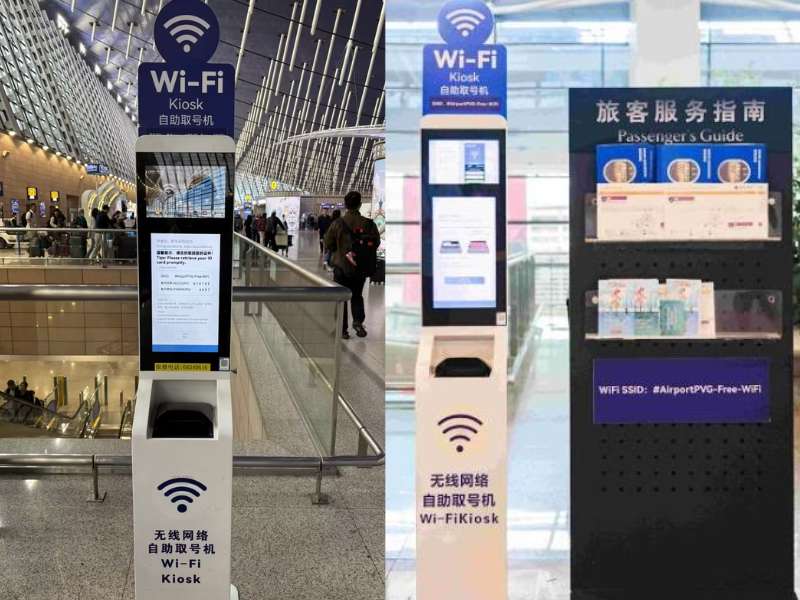
Even if you've prepared everything before departure, sometimes your China eSIM still refuses to connect. Don't panic! If you arrive with no mobile data, there are a few backup options to help you get online and reach your hotel safely.
🔍 Airport Wi-Fi Without a Chinese Phone Number
Good news! Some major airports in China offer free Wi-Fi with passport verification, so you don't necessarily need a Chinese phone number to connect.
- Shanghai Pudong Airport (PVG): Connect to the free airport Wi-Fi and follow the login instructions. You may be able to scan your passport's photo page for verification.
- Beijing Daxing Airport (PKX): Look for the Wi-Fi network named "BDIA-FREE-WIFI" and follow the passport verification instructions on the login page.
- Beijing Capital Airport (PEK): Look for the airport Wi-Fi service machines, where you may be able to scan your passport and receive login details.
Wi-Fi names and login procedures may change, so follow the instructions displayed at the airport. Once connected, it's a good time to contact your eSIM provider for help!
🔍 SIM Card Kiosks in the Arrivals Hall
If your eSIM still isn't working, getting a physical SIM card at the airport is another option. At some major airports, you can find mobile operator counters or service centres offering local SIM cards. For example:
- Shanghai Pudong Airport: Check the International Services Shanghai centre for available China Telecom SIM card plans.
- Beijing Capital and Daxing Airports: Look for the "Beijing Service" counters, where travellers may be able to purchase local SIM cards.
🔍 Your Offline Travel Backup Checklist
Before flying to China, I'd recommend saving these important details on your phone. Trust me, you'll be glad to have them if your internet suddenly stops working!
| 🔍 Item | 💡 Why It Matters | ✅ How to Prepare |
|---|---|---|
Booking screenshots | Hotel and attraction staff can check your reservations offline | Save QR codes, booking numbers and confirmation screenshots |
Hotel name and address in Chinese | Makes it easier for taxi drivers to understand your destination | Copy the Chinese address from your hotel booking and keep a paper copy |
Airport-to-hotel route | Helps you navigate without mobile data | Screenshot metro lines, transfer stations and exit numbers |
Payment options | Many shops, restaurants and transport services accept QR payments | Set up Alipay or WeChat Pay with your foreign card before departure and carry some cash |
Flight and train details | Useful when asking airport or station staff for assistance | Save your booking details and write down important numbers |
Emergency numbers | You may need them even without mobile internet | Save 110 (police), 120 (ambulance) and 119 (fire) |
Backup Wi-Fi locations | Gives you another way to contact customer support | Check airport and hotel Wi-Fi options, including their login requirements |
🔍 What If You Have No Internet on Your First Night?
If you arrive without mobile data, I'd suggest arranging your airport transfer in advance and confirming a specific pick-up point with your driver. Keep your hotel address written in Chinese so you can show it if needed. Once you reach your hotel, connect to the lobby Wi-Fi and contact your eSIM provider to troubleshoot the issue.
💡 My tip: Always save your hotel details, transport bookings and important travel information offline before leaving Malaysia. Even if your China eSIM stops working, you'll still have a backup plan to get through your first day!
 NO.1






⚠️ Common China eSIM Problems & How to Avoid Them?
Here's a quick table to help you identify what's wrong and get connected again.
| ⚠️ Common Mistake | ❓ Why It Happens | 🔍 How to Tell | ⚙️ How to Fix It |
|---|---|---|---|
eSIM installed but not active | The eSIM line is switched off, or it hasn't connected to a supported network in China yet. | The line appears greyed out or shows as inactive. | Turn on the eSIM line, enable Data Roaming if required, and wait a few minutes. If it still doesn't work, contact your provider. |
Mobile data set to the wrong line | Your phone is still using your Malaysian SIM for mobile data. | Your home SIM shows data usage, but your travel eSIM doesn't. | Set your China eSIM as the mobile data line. You can also turn off automatic data switching to avoid unexpected charges. |
Data Roaming turned off | Your phone may have roaming disabled by default to avoid extra charges. | You have signal bars, but websites and apps won't load. | Turn on Data Roaming for your travel eSIM only. Keep roaming off on your Malaysian SIM unless you intend to use it. |
Incorrect APN settings | Some eSIM providers require you to enter the APN manually. | The APN field is empty or doesn't match the provider's instructions. | Check your order details or installation instructions and enter the correct APN. |
Data allowance used up | Streaming videos, using maps, and automatic photo backups can consume data quickly. | Your remaining data shows 0, or your connection becomes slower after reaching the limit. | Top up your plan if available, or wait for the next daily data reset if your package includes one. |
Expecting apps your plan doesn't support | Some China eSIMs use local network routing, which may not support certain overseas apps and websites. | Chinese apps work, but apps you normally use at home don't. | Check the plan's supported apps and network details. Contact customer service if you're unsure which plan is suitable. |
Phone isn't compatible with eSIM | Your device may be an unsupported regional model, an older model, or carrier-locked. | You can't find an EID, or your phone won't install the eSIM. | Check your phone's eSIM compatibility and carrier-lock status. Consider using a physical SIM or pocket Wi-Fi instead. |
💡 My biggest tip: Don't delete your eSIM while troubleshooting! Even if it looks like the eSIM isn't working, deleting it may make it difficult or impossible to reinstall. Trip.com recommends contacting customer service first if activation fails, so the support team can check your original eSIM and help you resolve the issue.
❓ FAQs: China eSIM Not Working
-
1. Why is my eSIM not working in China?
-
2. Do I activate my eSIM before or after arrival?
-
3. My eSIM has a signal but no data. What now?
-
4. Can I use Google or WhatsApp with a China eSIM?
-
5. How do I check if my phone supports eSIM?
-
6. Can I use a hotspot with my eSIM?
-
7. What do I do if nothing works?
-
8. Where can I buy a SIM at the airport?