Online Check-In: A Quick Guide for Travelers

Online check-in has made travelling more convenient than ever, allowing passengers to skip long queues and head straight to security or baggage drop. But while it may seem simple, many travellers are unaware of the rules, limitations, and rights that come with checking in online. From changes and cancellations to baggage policies and airline responsibilities, it’s important to know where you stand. Here’s what every Malaysian traveller should understand about online check-in—so you can travel smarter, with peace of mind.
What is Online Check-In?
Source: iStock
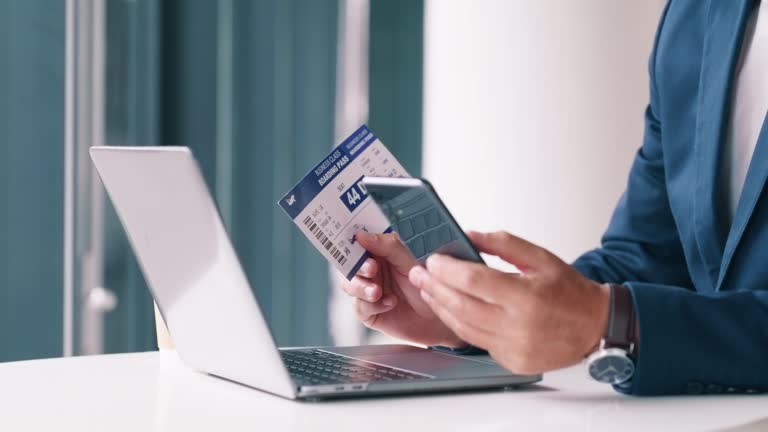
For most of us in Malaysia, the usual airport routine involves arriving early, queuing at the airline counter to check in, picking our seat, and dropping off our luggage. But nowadays, with online check-in, things have become a lot more convenient.
Online check-in allows you to complete the check-in process through the airline’s website or mobile app—before even reaching the airport. You can choose your preferred seat, receive a digital boarding pass, and then either drop off your luggage at the baggage counter or head straight to security if you're travelling light.
One of the biggest perks? You skip the long queues, especially during peak holiday seasons or early morning flights when the airport can be packed. It also saves you time and energy, which makes a big difference when you're rushing or travelling with family. Online check-in is now a must for many Malaysian travellers. It’s not just about convenience anymore—it helps make the whole journey smoother and more efficient. If you’ve ever used it via your phone, you’ll know just how much easier it makes flying.
Online Check-In Times
If you're flying with a Malaysian airline, online check-in is a great way to save time at the airport. Instead of queuing at the counter, you can check in through the airline’s website or mobile app, choose your seat, and get your boarding pass in advance. Here’s a quick guide to online check-in availability for major Malaysian airlines:
| Airline | Domestic Flights | International Flights |
|---|---|---|
Malaysia Airlines | 48 hours to 90 minutes before departure | 48 hours to 90 minutes before departure |
AirAsia |
|
|
Batik Air Malaysia | 48 hours to 60 minutes before departure | 48 hours to 60 minutes before departure |
Firefly | 24 hours to 1 hour before departure | 24 hours to 1 hour before departure |
How to Use Online Check-In
Source: Jettime
Planning to check in online for your next flight? Here's a simple step-by-step guide to help you through the process, especially if you're flying from or within Malaysia:
✅ Step-by-Step Online Check-In Guide:
Step 1:
Visit the airline’s official website or mobile app. Look for the ‘Online Check-In’ option on the main menu.
Step 2:
Enter your booking details. This could be your reservation number (PNR), ticket number, or full name, depending on what the airline requires.
Step 3:
For international flights, you’ll need to key in your passport details and contact information.
Step 4:
Choose your seat. Some airlines allow free seat selection, while others may charge a small fee for preferred seats.
Step 5:
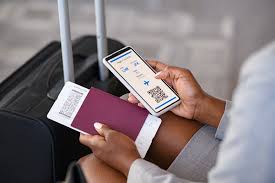
Once done, your mobile boarding pass will be generated. Some airlines may also email it to you.
Step 6:
Double-check your boarding pass and save it to your phone or email inbox for easy access at the airport.
Step 7:
If you have checked baggage, just drop it off at the airline's baggage drop counter. If you're travelling light (hand-carry only), you can head straight to the boarding gate.
⚠️ When Online Check-In Might Not Be Available:
Online check-in may not be allowed for certain passengers or situations, such as:
- Travelling with infants
- Unaccompanied minors
- Passengers bringing pets
- Those needing special assistance (e.g., wheelchair service)
- If you’ve selected an emergency exit seat
- Flights operated by codeshare partners
- If there are issues with your passport information
Each airline has different rules, so it's always best to check directly with your airline's website or customer service before your flight.
Trip.com Online Check-In
Source: Future Travel Experience
If you’ve booked your flight through Trip.com, you may be able to check in online — but this depends on the airline.
After you’ve completed your booking, Trip.com will notify you via in-app notification or email if online check-in is available for your flight. If it is, you’ll be given a direct link to the airline’s check-in page or a special check-in page provided by Trip.com. However, do take note that not all airlines support online check-in through Trip.com.
Even if your booking was made on Trip.com, the airline ultimately handles the check-in process, so it’s best to double-check with the airline about their check-in time and process, especially one day before your flight. Also, some flights — especially codeshare flights or bookings with special fare conditions — may not be eligible for online check-in.
How to Handle Baggage After Online Check-In

Source: Next Vacay
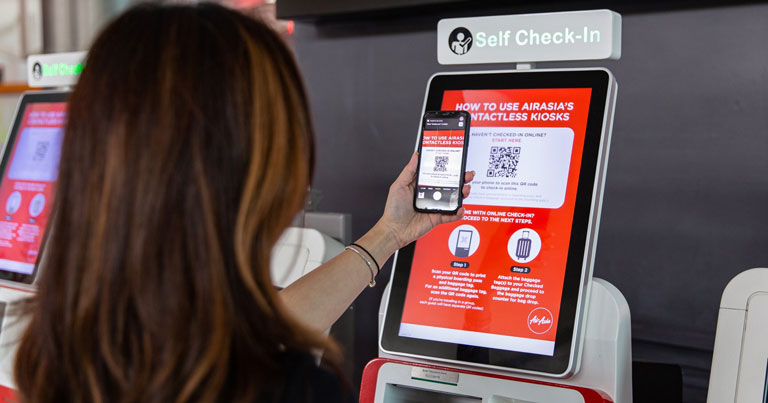
If you’ve already checked in online but still have luggage to check in, don’t worry—most airports in Malaysia, including KLIA and KLIA2, have dedicated baggage drop counters or self-service bag drop machines. These are specifically for passengers who have completed online check-in. The queues here are usually shorter, so you can get through the process more quickly.
For international flights, it’s very important to arrive at the airport on time because airlines set specific deadlines for baggage drop. For instance, some airlines stop accepting checked baggage 60 minutes before departure, while others may have a cut-off as early as 40 minutes. Make sure to check your airline’s policy beforehand so you don’t get caught off guard.
Also, keep in mind that you might be charged extra if your luggage is overweight or too large. To avoid unexpected fees, it’s a good idea to check your airline’s baggage allowance in advance. Give yourself some buffer just in case your luggage ends up being a bit heavier than expected. If you're flying with a low-cost carrier like AirAsia or Batik Air, do note that their basic fares usually don’t include checked baggage. So, before you check in online, double-check whether you’ve added baggage to your booking. It’s usually cheaper to purchase baggage allowance online than to pay at the airport.
Planning ahead will help you have a smooth and stress-free airport experience. Safe travels!
Cancel or Change After Online Check-In? Here’s What Traveller Need to Know

Source: baller.co.id
Cancel Online Check-In
If you need to cancel your online check-in, you can usually do so through the airline’s website or mobile app by accessing your booking and selecting the option to cancel check-in, if available.
Keep in mind that online check-in cancellation policies and deadlines vary by airline. Some airlines allow passengers to cancel their check-in before departure, while others may have restrictions depending on the route, fare type, or booking method. If you're unable to cancel online, contact the airline directly for assistance.
Remember, cancelling your online check-in does not cancel your flight reservation. If you wish to cancel your flight, request a refund, or change your travel dates, you'll need to do so separately through the airline or the travel platform where you purchased your ticket, such as Trip.com or another travel agency.
Change After Online Check-In
Making changes after you’ve checked in online can be more limited. Usually, you can only change things like your seat, baggage allowance, or meal preferences. Changing your actual flight date or time after online check-in is often not allowed, especially with low-cost carriers like AirAsia or Firefly. Some budget airlines don’t allow any changes or refunds once you’ve checked in, so always check the airline’s terms before you make your booking.
Important Tips
Since every airline has different rules and deadlines for cancelling or changing online check-in, always check their official website or app before heading to the airport. If your travel plans are not yet final, a good tip is to avoid checking in too early—this gives you more flexibility to make changes if needed.
Online Check-In Tips Travellers Often Miss

Source: Air Seychelles
✅ Always Double Check!
Online check-in is super convenient and helps you save time at the airport, making boarding smoother. But remember, check-in times, baggage procedures, and rules for changes or cancellations can differ depending on the airline and your route. So, always double-check the details before you head out.
✅ Is Online Check-In Supported?
The safest way to check in is through the airline’s official website or mobile app. Some flights booked via platforms like Trip.com also let you check in online directly through their system. However, not all airlines support online check-in through third-party sites like Trip.com, so it’s best to confirm in advance whether your airline allows this.
✅ Arrive at the Airport Early
Even if you’ve checked in online, it’s important to get to the airport with plenty of time to spare, especially if you have luggage to drop off. Arriving early means no last-minute rushing and less stress. Also, if you check in too early, some airlines might restrict seat or schedule changes, so it’s safer to check in only after your travel plans are firm.
✅ Know Your Check-In Window
Check-in times vary by airline, so it’s wise to check when online check-in opens as soon as you book your flight. For example, for flights to places like the US, Canada, or Saipan, online check-in usually opens only 24 hours before departure. This can be confusing if you’re used to other routes with earlier check-in windows.
✅ Save Your Mobile Boarding Pass
After checking in online, make sure to save or screenshot your mobile boarding pass on your phone. Airport Wi-Fi or mobile networks can be spotty, so having an offline copy gives you peace of mind. If you prefer, you can also print it out beforehand to avoid any last-minute issues.
Online check-in is quickly becoming a must-have for many travellers in Malaysia. It helps cut down waiting time at the airport and gives you more flexibility with your travel plans. By checking in online, you can avoid unnecessary confusion by understanding each airline’s policies, check-in times, and baggage procedures ahead of time. If you want to start your journey more smoothly and hassle-free, make full use of online check-in!