2025 Grab Taxi Guide | Ultimate Guide to Thailand Taxi App, Grab

Contents
- Grab Ride-hailing|Basic Introduction
- Simple and convenient operation
- Automatic translation, photo taking function
- Transparent prices and electronic payments
- GrabRewards Member Points
- Grab ride-hailing | Grab tutorial
- Grab Tutorial #1 Download from the App Store
- Grab Tutorial #2 Agree to Grab App Usage Permissions
- Grab Tutorial #3 Choose a registration method
- Grab Tutorial #4: Receive SMS verification code
- Grab Tutorial #5 Chinese Interface Settings
- Grab Tutorial #6 Credit Card Binding
- Grab ride-hailing | Car types and pricing
- Grab's economy car type is the most commonly used taxi by the public. It is cheaper and has common car models and designs. It is recommended to choose according to the number of people traveling with you, luggage, etc.
- Grab's luxury cars are more advanced and more expensive. If you want a more comfortable ride or have a special occasion, you can choose this type of car.
- Other car services
- Grab ride-hailing | Pricing model
- Grab Taxi | Tips for taking a taxi in Thailand
- Favorite Location
- Select the boarding location
- How to communicate location with the driver
- Grab Ride-hailing|Safety Issues
- Safety concerns
- Recover lost property
- Grab Ride-hailing|GrabRewards Member Points Accumulation Mechanism
- How to redeem GrabRewards points for goods
- Check GrabRewards points expiry date
- Grab Ride FAQ
- What should I do if I am worried about language barriers when calling a taxi in Thailand?
- Can I pay cash when calling a Grab car?
- What should I do if I lose my personal belongings in a taxi in Thailand?
Show more
Did you know that people in Thailand use Grab to call a taxi? Grab is a good helper for calling a Thai taxi. You can call a taxi directly with your mobile phone. It is affordable, comfortable and convenient. The following is a summary of Grab's taxi-hailing functions and advantages, download and registration, taxi-hailing tips, Grab car types and billing methods. Using Grab to call a taxi in Thailand can easily solve traffic problems and make it easier to enjoy your trip to Thailand!
Grab is the largest ride-hailing app in Thailand and is widely used in Bangkok, Pattaya, Phuket, Chiang Mai and Chiang Rai. It is the most recommended mode of transportation in Thailand.
To call a car using Grab in Thailand, you only need to set the payment information and choose the boarding and alighting locations in advance. You can also see the vehicle route and estimated arrival time during the ride. From booking the car to arriving at the destination, no conversation is required. It is very simple and convenient.
Even if you don't know Thai or English, you can easily call a taxi. If you need to communicate with the driver, Grab's built-in message dialog box also has an automatic translation function. After entering Chinese, the system will automatically translate it into English or Thai for the driver. You can also use GrabChat's built-in camera function to take pictures of yourself and your companions' features, locations, etc. for the driver to see, which is very convenient.
When ordering a car through Grab Thailand, you can enter the pick-up and drop-off locations and select the type of car to get the estimated/fixed amount. As long as you log in the payment information and bind your credit card in "GrabPay" in advance, you can get off the car directly after arriving at your destination. No cash is required. Electronic payment is faster and safer. Grab will also send a receipt to your email mailbox.
Every time you use Grab services, you will be awarded corresponding points based on your membership level. After accumulating a certain number of points, you can redeem them for Grab discount codes, airline miles, etc.
| Grab | Other cars | |
| How to call a car | Calling a car with the app is very convenient in places with few cars | Stop on call, high chance of rejection |
| Payment Method | The app will show an estimated fixed amount/no need to jump to the meter | Unwilling to use metered charges or raise the price |
| Payment Methods | Cash, Credit Card | cash |
| Location communication | The driver knows the destination in advance | Do your homework beforehand |
| Lost Property Assistance | Contact the driver or Grab customer service through the ride record, the chance of recovery is high | Almost impossible to retrieve |
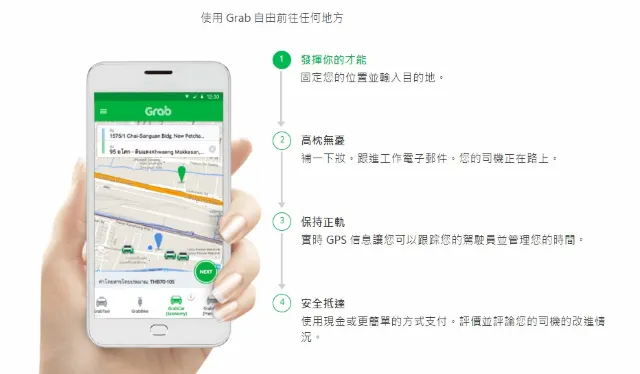
Grab Thailand App (image source: Grab official website)
Go to the App store (iPhone/iOS) or Google Play store (Android/Android) to download and install the Grab App.
After downloading and installing, open the Grab App and a notification will pop up asking you to agree to use permissions. Then agree to Grab using permissions such as camera, location information, microphone, etc.
You can choose to register with your Google / Facebook account, or directly register using your own country's mobile number to receive a text message verification code.
After receiving the SMS verification code, just fill in your name and email according to the instructions to successfully complete the registration.
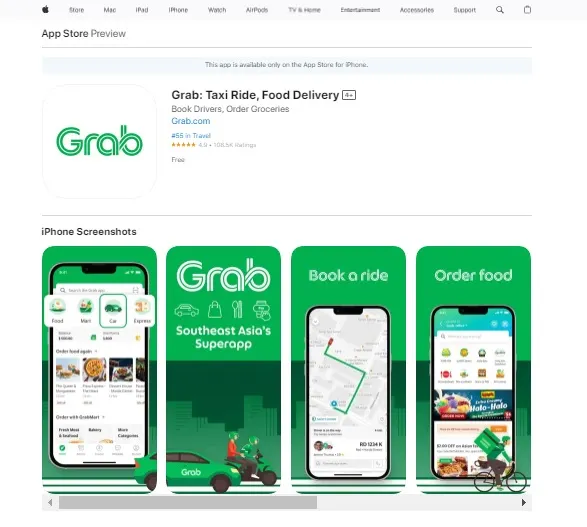
Download the Grab Thailand App (image source: App store screenshot)
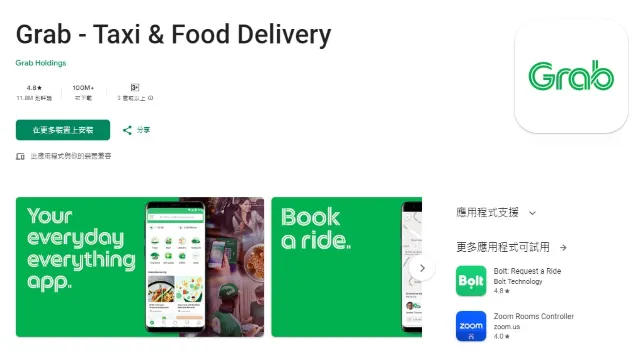
Download the Grab Thailand App (image source: Google Play screenshot)
Follow the steps below to convert the default English Grab interface to Chinese! (Applicable only to Apple phones/iOS systems)
1. Go to Settings > General > Language & Region > iPhone Language > Switch the language from Traditional Chinese to Simplified Chinese
2. Wait for the system to update > Open Grab App, the phone's interface will become simplified > Switch the language back to Traditional Chinese and wait for the system to update
3. Then in the preferred language order section, move Simplified Chinese below Traditional Chinese.
You can download and register Grab first, and then bind your credit card when you arrive in Thailand. In addition, the credit card company will send a verification SMS or email for authentication, so you don’t have to worry about not receiving the SMS.
1. Click Payment > Go to Grab homepage > Click "Payment"
2. Add a new payment method > Click "Add payment method"
3. Enter your credit card/debit card information > Wait for the credit card company to send a verification SMS to complete the binding
| Vehicle Type | introduce | Pricing method |
| GrabCar | Generally, the trunk of a private car or rental car is small and cannot accommodate more than two 29-inch suitcases. Common models include Toyota VIOS and MAZDA2 | A fixed amount estimated by the system, tolls are calculated separately |
| JustGrab | Quickly call all types of Grab cars, regardless of private cars or taxis, and automatically match the fastest and nearest vehicle, suitable for people in a hurry | A fixed amount is estimated by the system, tolls are not included, and an additional 100THB will be charged to the airport (DMK & BKK) |
| GrabTaxi | That is, join Grab's Tai International ride, the price is usually cheaper | The system will provide an estimated amount, but the actual cost is calculated by jumping the meter, plus a 20 baht system service fee, and tolls are calculated separately |
| Taxi-7 Seater | Advanced taxis can seat 6 people and have a large trunk that can hold 3-4 29-inch luggage. | The system will provide an estimated amount, but the actual cost is calculated by jumping the meter, plus a 150 baht system service fee, and tolls are calculated separately |
| GrabVan | A van/box type car, suitable for 5-10 people to travel together. Common models include Toyota Commuter, Hyundai H1, Nissan NV | A fixed amount estimated by the system, tolls are calculated separately |
| GrabBike | Taxi motorcycles are recommended for people traveling alone, in traffic jams, or for short distances. Experience the local motorcycle culture in Thailand. | Fixed amount estimated by the system |
| Vehicle Type | introduce |
| GrabSuv | Common high-end SUV models include Toyota Fortuner and Honda CRV. The trunk is large enough to hold more luggage. |
| GrabCar Premium | Cooperate with the rental company, the car models are higher, including Camry, Accord, Teana, the car condition and driver quality are better |
| GrabCar Plus | Premium private cars, divided into GrabCar Premimum and GrabCar Luxe. You can call GrabSuv, GrabCar Premium and other models |
| GrabCar Luxe | You can call for luxury cars such as Mercedes and BMW, which are essential for important occasions. When you get off the car, someone will help you open the door. |
| Vehicle Type | introduce |
| Rent GrabCar | Passengers can rent a car and driver on an hourly basis |
| GrabCar for Ladies | Specially designed for female passengers, with female drivers providing transportation services |
| GrabAssist | Special services are available for people with disabilities or special needs, but reservations are required in advance |
| GrabDriveYourCar | Hire a Grab private driver to drive your personal car |
Regardless of the type of vehicle you choose, there are two charging modes:
Metered taxis : Thai taxis that have joined Grab will display a price range on the Grab App. The actual amount you pay is based on the meter, which may be cheaper or more expensive than the amount originally estimated by the Grab App, but is usually cheaper.
Fixed-price vehicles : usually rental cars or private cars. The cost is based on the estimated amount on the Grab App, but it may change according to the "market demand and number of people". For example, during heavy rain or rush hours, Grab's price will be higher than usual.
Also, please note that additional tolls will be charged when you are on the expressway. You can prepare change and give the money to the driver at the toll booth. The driver will give you a receipt after paying the toll. You can also pay the toll together when you get off the car.
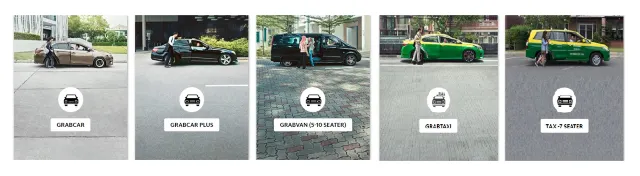
Grab Thailand car types and pricing methods (image source: Grab official website)
Make good use of Grab's "Saved Places" function to save the attractions you plan to visit or frequently used places with labels. Click Saved Places or the small label icon on the right side of the location to add the address and save it. When you call a taxi later, you can directly click "Saved Places" to call a taxi, saving time and avoiding entering the wrong location.
Get on the bus in the direction
Before calling a car, you can open Google Maps to check the traffic conditions, see if there is any traffic jam in your current area, and whether the pick-up location is on the same route as your destination. Call a car in a direction with less traffic jam or on the same route, so that the driver may not be willing to accept the order due to traffic congestion, and you may have to wait a long time for the car, or be stuck in traffic, spending more time/money to reach your destination.
Does not obstruct traffic
Choose a location that is convenient for the driver to call and try not to call near the front or back of the intersection. In addition, there is usually a Grab waiting point to board at the entrance of major shopping centers or hotels.
Call a car during peak hours
If you want to take Grab during traffic jams or peak hours, it is recommended to choose a fixed-price GrabCar, and off-peak hours, choose GrabTaxi with jump meter metering, which is more economical. Although the range of GrabTaxi estimates is generally higher, the actual ride is usually less than the estimated amount.
1. GrabChat automatic translation function
GrabChat in Thailand Grab has a built-in automatic translation function, which will automatically translate according to the language of the downloaded application. You can simply send English words or directly enter Chinese sentences, and GrabChat will automatically translate them into Thai for the driver to see.
2. Grab has a built-in camera function that sends photos to the driver
When using GrabChat, you can take advantage of the built-in camera function in the Grab App to take photos of yourself and your companions to let the driver know how many people will be on the ride and the characteristics of the passengers. You can also take photos of nearby landmarks to let the driver know where to wait.
3. VoIP voice call function
Thailand Grab has a built-in VoIP voice function, so you can use the Grab App to talk to the driver to confirm your location. Because the driver may not speak Chinese, if you really don’t know Thai or English, find a local person or ask the staff of a nearby store or hotel to help communicate with the driver.
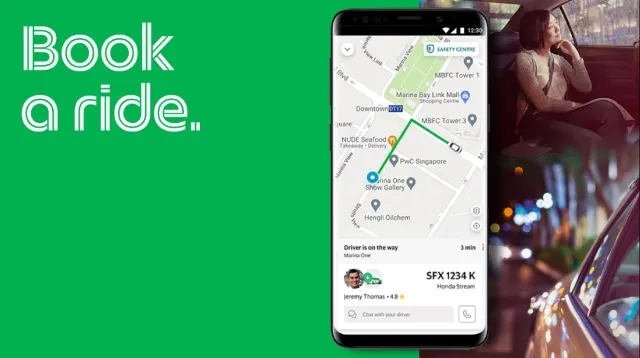
Grab Thailand app (image source: Grab official website)
Grab Thailand insists that passenger safety is its top priority. All Grab Thailand drivers are trained and have passed criminal background checks. Passengers can share their real-time location with their loved ones through the "Share My Trip" function for real-time tracking. In addition, various safety measures such as driver rating function and trip history are also provided. I believe that Grab Thailand is safer than other apps and taxis.
1. Contact the driver directly via Grab App within four hours
If you find that you accidentally left something on the car after getting off, just follow the steps below and you can contact the driver through the Grab App within 4 hours.
Open the Thai Grab App > Select Acitivity > Grab ride history > Contact the driver through Grab's built-in voice call function
2. Contact the driver through Grab Customer Service Center
If you can't find the driver, you can go to "Report An Issue" in "History" > "I'd like help finding my lost item" > contact Grab customer service through "Email Support" or "Call Support" > provide your Booking ID, pick-up point, drop-off point and other information > Grab customer service will inform you of the follow-up processing status via SMS, mobile phone or email.
Every time you use Grab to call a Thai taxi, you can accumulate GrabRewards points, which can be redeemed for Grab cash coupons and various products. At the same time, there are GrabRewards discounts in more than 70 airport VIP lounges in Southeast Asia. It is very suitable for Thailand calling taxi app for those who often travel or work in Southeast Asia.
As long as you make transactions on Grab in Thailand, you will automatically become a member of GrabRewards. There are four membership levels: general member, silver member, gold member, and platinum member. You can upgrade by accumulating a certain number of points. Members of different levels enjoy different exclusive rights, such as discounts, priority services, and exclusive offers from other partners.
GrabRewards implements a cashless payment plan, and points can only be earned by using GrabPay Wallet, debit cards and credit cards. Points are awarded according to different membership levels. The points are valid for 3 months and will end on the last day of the third month of the points validity period, but you can continue to make transactions on Grab to extend the points period.
Click "GrabRewards" > There is a simple classification at the top, you can browse the items you want to redeem by category > Click on the voucher, scroll to the bottom and click "Redeem" to complete the redemption
If you want to use a redeemed voucher, click "Account" > click "Rewards" to display all the vouchers that can be redeemed in your account > then click "VIEW" for the voucher you want to redeem > enter the voucher page > click "USE NOW" below to use it
Click "GrabRewards" > click "My Membership Details" to view your membership information. Your Grab points balance and expiring points will be displayed here.
At this time, it is very convenient to use Grab to call a taxi. You don’t have to worry about language barriers or being cheated by Thai taxi drivers. It is safer to use Grab to call a taxi.
Of course you can choose to pay by "cash" or "credit card", but it is recommended to choose credit card for convenience!
The Grab ride-hailing app has a built-in Grab ride history function that makes it easy to contact taxi drivers you have taken. For detailed operation methods, please refer to this article.
Popular recommendations

【泰國退稅2025】流程和注意事項懶人包 奢侈品退稅需要特別注意!
 Love.Trip
泰國自駕遊 2025 泰國租車Step by Step,一文睇清泰國租車及自駕遊必玩推介
 Arrow Chan
【泰國自由行】泰國旅遊10大城市攻略!特色城市+曼谷清邁布吉自由行
 Tanya Ng
【泰國通關】香港入境泰國!即看最新泰國旅遊 2025 資訊【持續更新】
 TripBlog
【清邁自由行】泰國深度遊,必須bookmark的20個食、買、玩清邁景點
Arrow ChanTrending Travelogues
Popular Attractions
Popular Ranked Lists
Popular Destinations
Recommended Attractions at Popular Destinations


About




Site Operator: Trip.com Travel Singapore Pte. Ltd.