
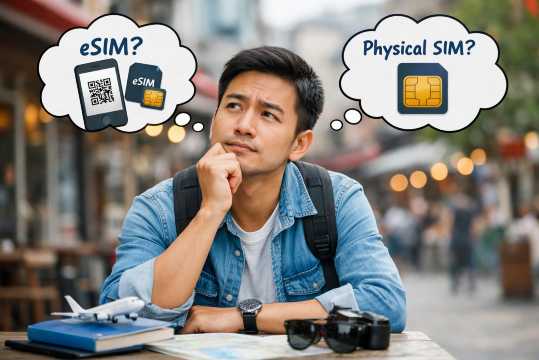

If you’ve ever landed in Malaysia and immediately started looking for WiFi at the airport, same here 😂 I used to always buy a physical SIM, queue at the counter, swap cards, and keep my original SIM safely (a bit leceh honestly). But recently I switched to using an eSIM, and wow, the difference is quite big! No need to queue, just scan and you’re connected instantly. That said, after trying both, I realized it’s not just about convenience or price. eSIM and physical SIM each have their own pros and cons depending on your travel style, budget, and even your phone.
1 Day - 2GB/Day
- Data2GB Daily
- Validity1 Day
- PriceFrom RM3.87
7 Days - 2GB/Day
- Data2GB Daily
- Validity7 Days
- PriceFrom RM24.17
10 Days - 30GB
- Data30GB
- Validity10 Days
- PriceFrom RM59.1
🔍 What Is an eSIM?

An eSIM is basically a digital SIM card that lives inside your phone. No need for a physical card. Instead of swapping SIMs, you just scan a QR code or download a profile from your provider, and boom! You’re connected😎✅. Super convenient if you travel often, switch networks, or don’t want to worry about losing your SIM. Most newer smartphones support eSIM, so you can even have your local number and a Malaysia eSIM at the same time.
🔍 What Is a Physical SIM?

A Physical SIM card is the traditional little chip you insert into your phone to get mobile service. In Malaysia, you can easily buy one at the airport, convenience stores, or local telco shops. It usually comes with a set amount of data, calls, and SMS, simple and straightforward. The only thing is, you need to swap it with your original SIM, keep your old one safe, and sometimes wait in line at the counter, especially during peak travel hours.
✅ eSIM vs Physical SIM: Key Differences

Both eSIM and Physical SIM let you stay connected in Malaysia, but they differ in setup, convenience, and cost. Here’s a detailed look:
🔍 Feature | 📱 eSIM | 📱 Physical SIM |
|---|---|---|
Setup | Scan a QR code or download from provider, and activate instantly. No need to visit a store. | Buy a SIM at the airport, convenience store, or telco shop. Insert it into your phone and keep your original SIM safe. |
Convenience | Super travel-friendly😎 Perfect if you’re hopping countries or switching networks. You can even store multiple eSIMs on one phone. | Limited by one SIM slot (unless your phone is dual-SIM). You have to physically swap cards if you want a local number. |
Availability | Purchase online before arrival. | Widely available in Malaysia: airports, 7-Eleven, MyNews, telco outlets. |
Phone Compatibility | Only works on eSIM supported devices | Works with almost all phones, old or new. |
Coverage & Reliability | Uses the same local networks as physical SIMs, so coverage is generally the same. | Full local coverage, often comes with voice, SMS, and data. More options if you want a local phone number. |
Cost | Very affordable for short trips, some plans start from RM1.63, especially if you just need data. | Usually RM20–50, depending on plan and data allowance. |
🔥 eSIM vs Physical SIM: Pros & Cons
Here’s a closer look at what makes each option shine ✨ and where they fall short.
✅ eSIM Pros:
- Instant setup 👍
- Scan a QR code, download the profile, and you’re online. No need to queue at the airport.
- Travel-friendly 🌍
- Perfect for short trips or hopping between countries! You can even store multiple eSIMs on one phone.
- No lost SIM risk ❌
- Since it’s digital, you don’t have to worry about misplacing your card.
- Eco-friendly 🪴
- No plastic SIM cards!
❌ eSIM Cons:
- Phone compatibility 📱
- Only works on newer phones that support eSIM (iPhone XS and above, most recent Androids).
- Limited local support 🏪
- If something goes wrong, not all telco shops can help you troubleshoot.
- Data-only options 📞
- Some eSIMs may only offer data without a local phone number.
✅ Physical SIM Pros:
- Widely available ✅
- Almost all phones support it, and you can buy one easily at airports or stores.
- Local number included 📞
- Handy if you want to make calls or use SMS in Malaysia.
- Slightly cheaper 💰
- In some cases, physical SIMs can be more budget-friendly than eSIM plans.
❌ Physical SIM Cons:
- Less convenient 🤔
- Need to swap your original SIM and keep it safe.
- Queues & waiting ⏳
- Popular airports or telco shops can have long lines, especially during holidays.
- One SIM per slot
- If your phone doesn’t support dual SIM, you can’t use your home number simultaneously.
Overall, both eSIM and physical SIM have their own advantages. It really depends on what you value more. If you want convenience and instant connection, eSIM is a great choice. But if you prefer a local number, a physical SIM still works perfectly 👍.
1 Day - 2GB/Day
- Data2GB Daily
- Validity1 Day
- PriceFrom RM3.87
7 Days - 2GB/Day
- Data2GB Daily
- Validity7 Days
- PriceFrom RM24.17
10 Days - 30GB
- Data30GB
- Validity10 Days
- PriceFrom RM59.1
👍 eSIM vs Physical SIM: Which One Should You Choose?
Honestly, choosing between eSIM and a physical SIM in Malaysia really depends on how you travel, how long you stay, and what you actually need during your trip.
If you’re a short-term traveler (1–5 days), or just coming for a quick holiday, eSIM is usually the best choice. It’s super convenient! You can buy it online, set it up before your flight, and once you land in Malaysia, you’re instantly connected. No need to queue at the airport, no need to swap SIM cards, and no risk of losing your original SIM. This is especially helpful if you’re arriving late at night or during peak hours ⏳, when airport counters can be quite crowded.
If you’re a frequent traveler or digital nomad, eSIM is also a great option because you can store multiple eSIM profiles and switch between countries easily 🌍. Plus, many eSIM plans are now very affordable 💰 (starting from around RM1.63), making them a solid choice even for budget travelers who just need data.
However, if you’re planning a longer stay in Malaysia (1–2 weeks or more), or you need a 📞 local Malaysian phone number for calls, SMS, or registrations (e.g. booking services, receiving OTPs), then a physical SIM might be more suitable. Physical SIMs usually come with full services (data + calls + SMS) and are widely available at airports and stores, typically costing around RM20–50 depending on the plan.
Physical SIM is also a safer choice if your phone doesn’t support eSIM, or if you prefer something more traditional and straightforward. Some travelers also feel more secure being able to visit a 🏪 physical store if anything goes wrong.
👉 Simple way to decide:
- Choose eSIM if you want instant connection, no hassle, and flexibility
- Choose physical SIM if you need a local number or full telco support
🔍 How to Get Them in Malaysia
Getting connected in Malaysia is easier than you think, whether you go for an eSIM or a physical SIM 😎✅✨.
🛜 For eSIM
- Purchase online before your trip
- Go to a trusted provider like Trip.com, choose a Malaysia eSIM plan based on your data needs.
- 💰 Prices can start from just RM1.63, making it super budget-friendly.
- Receive your QR code
- 📲 After purchase, you’ll get a QR code via email along with instructions.
- Install the eSIM on your phone
- 📱 On iPhone: Go to Settings → Cellular → Add Cellular Plan → Scan QR code
- 📱 On Android: Go to Settings → Network & Internet → Mobile Network → Add Carrier → Scan QR code
- Follow the on-screen instructions to finish installation.
- Activate and use
- Once installed, select the eSIM as your active line for data or calls (if your plan includes a number).
- You’re now ready to use mobile data instantly the moment you land in Malaysia.
🔥 Hotel Coupons: Exclusive Hotels Deal for New Users
Discover the world with trip.com! Book the perfect hotel anywhere in the world and get an unbeatable 10% discount if you're a first-time user! If this is your second time using it, you will receive a 5% discount! Download our app now and start planning your next trip with ease.
Just click this link and download the Trip.com App, after successfully registering as a member, use it when you place an order!
🔥Save More with Up to 10% Off
Use our promo code to enjoy up to 10% OFF on your attraction tickets, tours and eSIMs! There is also a 5% OFF (up to S$3) for new users!

🔥New User Coupon: Save More with an Extra 5% Off
Use our promo code to enjoy an extra 5% off (up to S$4) on your attraction tickets, eSIMs, and tours! ⏳Redeem within 3 days of claiming
📱 For physical SIM
- Buy a SIM after arrival
- Available at airport counters, convenience stores (7-Eleven, MyNews), or telco shops like Maxis, Digi, or Celcom.
- Show your passport for registration
- This is required for Malaysian SIM activation.
- Insert SIM into your phone
- Turn off your phone, insert the SIM, then power it back on.
- The staff usually help with this step if you buy at a telco outlet.
- Activate the SIM
- Some SIMs activate automatically once inserted.
- Others may require a simple SMS code or phone call to complete activation.
- Start using data, calls, and SMS
- Choose the plan that suits your trip length and data needs. Prices usually range from RM20–50.
📱 Must-Have Apps for Traveling in Malaysia
When I travel to Malaysia, I’ve found that downloading a few useful apps in advance can make everything so much easier ✨. Some countries rely heavily on Google services, but in Malaysia, it’s usually a mix of international and local apps for payments, transportation, food delivery, navigation, and more. Although most Malaysians speak English, some apps may default to Malay or Chinese interfaces ✅. For foreign travelers like me, having these apps is super practical! They save time, help avoid getting lost, and prevent unnecessary hassles.
| 🔍 Category | ✨ Recommended Apps |
|---|---|
💰 Payment Apps | Touch ‘n Go eWallet, GrabPay, MAE by Maybank |
🛻 Transport Apps | Grab, AirAsia Ride |
🗺️ Maps / Navigation Apps | Google Maps, Waze |
🗣️ Translation Apps | Google Translate, Papago |
🍔 Food / Delivery Apps | GrabFood, Foodpanda, Eatigo |
🎟️ Attraction & Ticket Booking Apps | ✨ Trip.com |
🚅 Train Ticket Apps | Easybook, KTMB |
🗣️ Communication Apps | WhatsApp, WeChat |
🔍 Other Popular Local Apps | Shopee, Lazada |
🔍 Not Sure Where to Go in Malaysia Yet?
❓FAQs: eSIM vs Physical SIM in Malaysia
1. Is eSIM cheaper than a physical SIM in Malaysia?
Yes! eSIM plans can be super affordable, with some starting from just RM1.63, while physical SIMs usually cost RM20–50 depending on data and validity.2. Can I use eSIM and physical SIM at the same time?
Yes, if your phone supports dual SIM (one physical SIM slot + eSIM). This is great for keeping your home number while using Malaysian data.3. Do I need a local number in Malaysia?
It depends on your needs. For data-only use, eSIM is enough. But if you want to make calls, receive SMS, or use apps like Grab or food delivery, a physical SIM with a local number may be better.4. Which eSIM providers work in Malaysia?
You can buy Malaysia eSIMs from Trip.com, Airalo, Holafly, and other trusted online providers. They usually offer instant activation via QR code.5. Can I buy a physical SIM at the airport?
Yes! Major airports in Malaysia have telco counters for Maxis, Digi, and Celcom. You can also find SIM cards at convenience stores like 7-Eleven or MyNews.6. Are eSIMs compatible with all phones?
No. Only newer phones support eSIM, like iPhone XS and above or certain Android models. Older phones will need a physical SIM.7. How do I activate an eSIM or physical SIM in Malaysia?
a) eSIM: Scan the QR code provided by your online provider and follow the phone instructions.
b) Physical SIM: Insert the SIM into your phone, show your passport for registration, and the staff will help activate it if needed.


21 ditempah