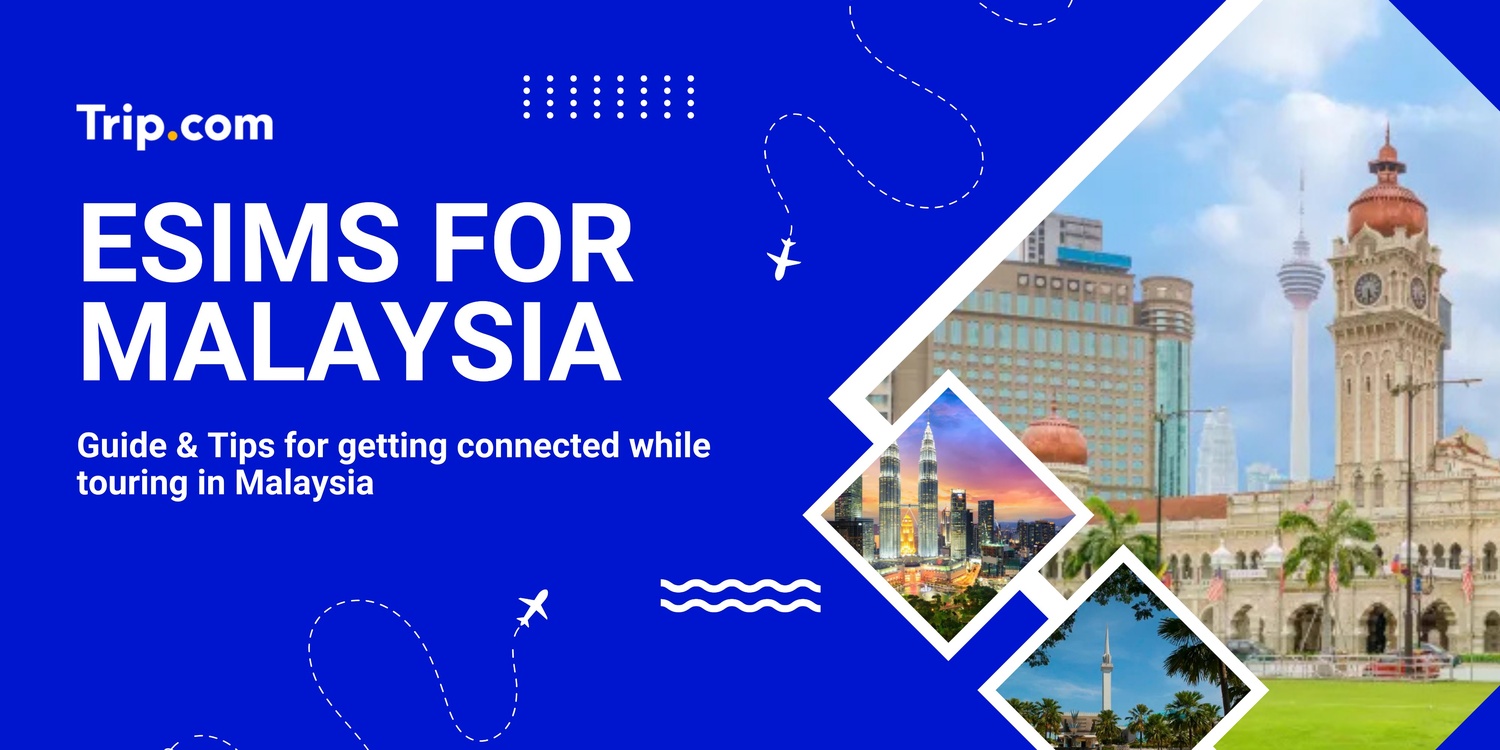
eSIMs for Malaysia

Stay connected in Malaysia for less than RM1.63 per day.

Recommended eSIMs Options for Malaysia Travel!

1GB 3 Day

  • Data1GB Daily
  • Validity3 Day
  • PriceFrom RM10.13

1GB 5 Days

  • Data1GB Daily
  • Validity5 Days
  • PriceFrom RM15.41

1GB 7 Days

  • Data1GB Daily
  • Validity7 Days
  • PriceFrom RM19.51

2GB 3 Day

  • Data2GB Daily
  • Validity3 Day
  • PriceFrom RM15.41

2GB 5 Days

  • Data2GB Daily
  • Validity5 Days
  • PriceFrom RM23.62

2GB 7 Days

  • Data2GB Daily
  • Validity7 Days
  • PriceFrom RM29.64

🔥 Unlock an Extra 5% Off – Available for New Users Only!

Enjoy an additional 5% off with our promo code on attraction tickets, eSIMs, and tours!

📅 Offer valid from 1 Jan 2025 to 30 Jun 2025

Need other flexible options? Customise & select from our featured Malaysia eSIMs products!

Malaysia eSIM 5G

  • CoverageMalaysia
  • Data500M to 30GB
  • Validity1 to 30 Days
  • PriceFrom RM1.63
  • Reviews (4.6 ★)356 reviews
  • Bookings5k+ bookings

Malaysia 5G eSIM

  • CoverageMalaysia
  • Data500M to 20GB
  • Validity1 to 30 Days
  • PriceFrom RM2.03
  • Reviews (4.6 ★)331 reviews
  • Bookings8K+ bookings

Malaysia 4G/5G eSIM

  • CoverageMalaysia
  • Data500M to 50GB
  • Validity1 to 30 Days
  • PriceFrom RM2.14
  • Reviews (4.5 ★)585 reviews
  • Bookings15K+ bookings

Why buy eSIM with Trip.com?

✔ High-Speed, Generous Data (5G)

With Trip.com's eSIM, access high-speed 5G data wherever available. Stay connected with generous data allowances, perfect for streaming, browsing, and working on the go.

✔ Keep Your Original Phone Number

Maintain your original phone number while traveling. eSIM allows you to stay reachable on your primary number, ensuring you never miss an important call.

✔ Instant Activation

Activate your eSIM immediately upon purchase and start using data right away after you land. No need to visit a store or wait for for delivery.

✔ No Contracts, 100% Prepaid

Our eSIM plans are 100% prepaid with no long-term contracts. Enjoy the freedom to choose and change your plan without any hidden fees or commitments.

✔ Flexible Plan Options

Choose from a wide variety of data plans and durations that suit your travel needs. Whether you need data for a few days or an entire month, Trip.com has you covered.

✔ Affordable & Clear Pricing

Save on roaming charges with Trip.com's competitively priced eSIM plans. Enjoy clear and straightforward pricing with no surprise fees.
Other Popular eSIMs

cover image

For many Malaysian travelers, arriving abroad without mobile data can be a real hassle — especially when roaming charges are expensive, local SIM cards require tedious paperwork, or familiar apps like MAE, Grab, or Touch 'n Go eWallet don’t work as expected. That’s where an eSIM becomes a real lifesaver. With the best eSIM options available overseas, travelers can enjoy instant mobile data upon arrival — no more queuing at SIM card kiosks or dealing with confusing APN settings. An eSIM offers unmatched convenience, flexibility, and great value, helping you stay connected to essential apps like Google Maps, Grab, or local e-wallets without a hitch.

What is an eSIM?

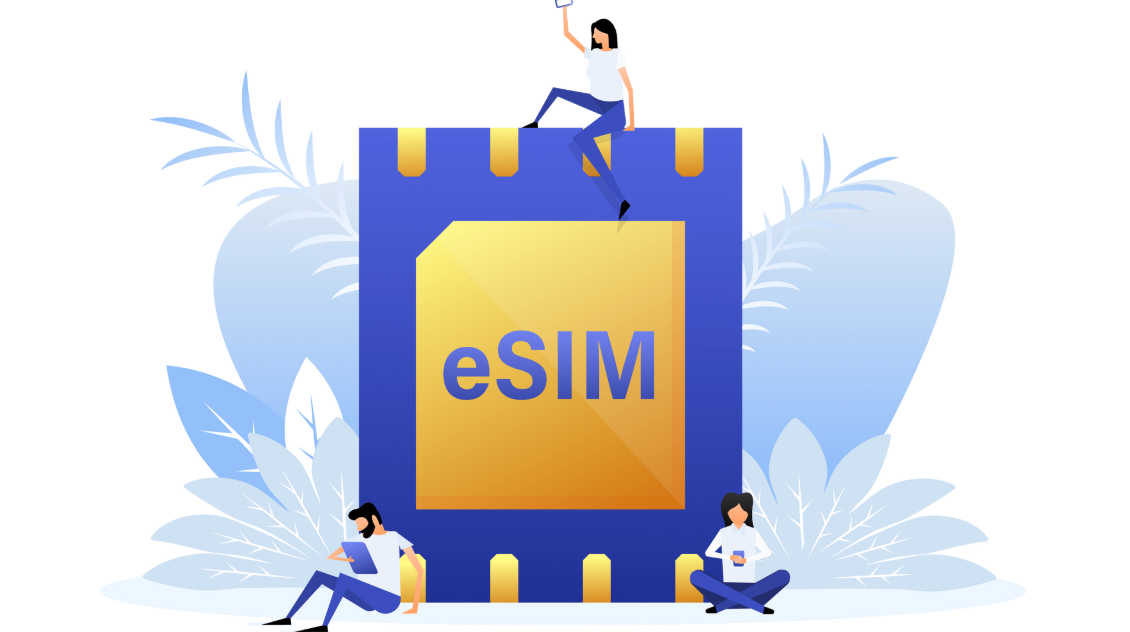
An eSIM, or embedded SIM, is a digital version of the traditional SIM card, built directly into your device. Unlike physical SIM cards, it doesn’t need to be inserted or swapped out. With an eSIM, you can activate mobile plans remotely, switch between carriers with ease, and even add multiple plans on the same device. It’s a convenient and flexible solution, especially useful for staying connected while travelling internationally.

❤️Pro Tip: When planning your visit, consider booking flights to Kuala Lumpur and Kuala Lumpur hotels in advance to secure the best rates.

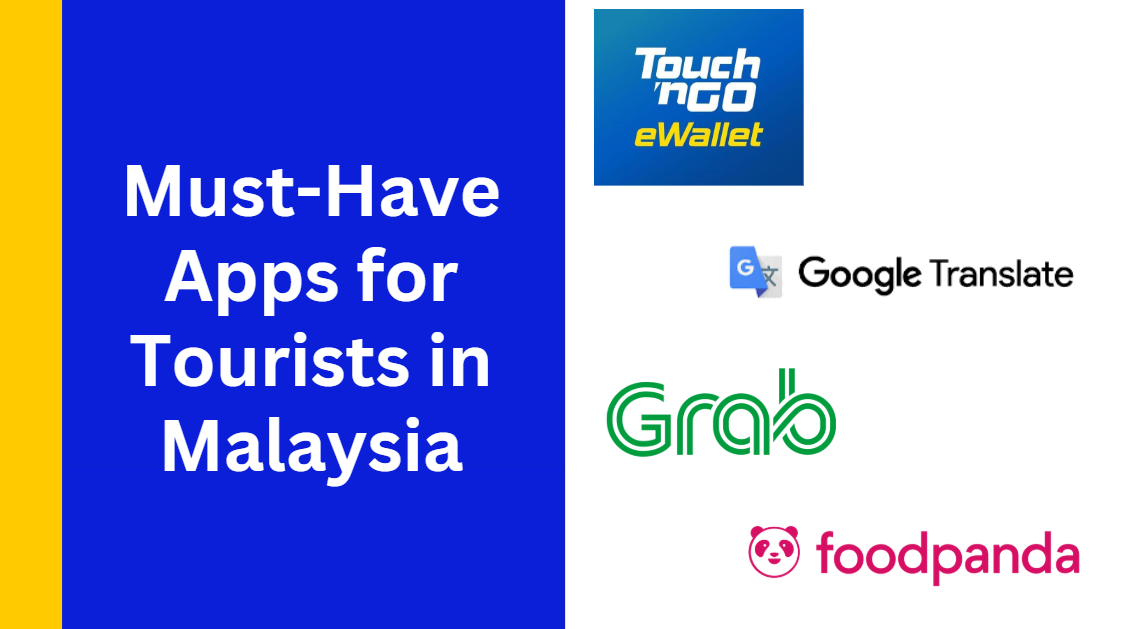
Must-have Apps for tourists in Malaysia

Must-Have Apps for Tourists in Malaysia

Malaysia is a vibrant mix of modern cities, lush nature, and rich culture—and the right apps can make your travel smooth and stress-free. Whether you're commuting through Kuala Lumpur, discovering hidden foodie gems, or planning your next stop, these apps will help you stay connected and make the most of your journey.

Category

Recommended Apps

Payment apps

Touch ‘n Go eWallet, GrabPay, Boost, Maybank MAE

Transport apps

Grab, airasia ride, MyCar, Moovit

Map/navigation apps

Google Maps, Waze, Moovit

Translation apps

Google Translate, Microsoft Translator

Food delivery/discovery

GrabFood, Foodpanda, ShopeeFood

Attraction booking

Trip.com

Communication apps

WhatsApp, Telegram, WeChat

💡 Pro tip for using apps in Malaysia: Malaysia’s public transport is improving and well-covered in major cities—apps like Moovit are great for live route tracking. For cashless payments, Touch ‘n Go eWallet is widely accepted in malls, hawker centres, and even tolls. To stay connected, activate your eSIM or get a local SIM card with data as soon as you arrive.

How To Set Up Your Malaysia eSIM?

How to use eSIM in Malaysia?

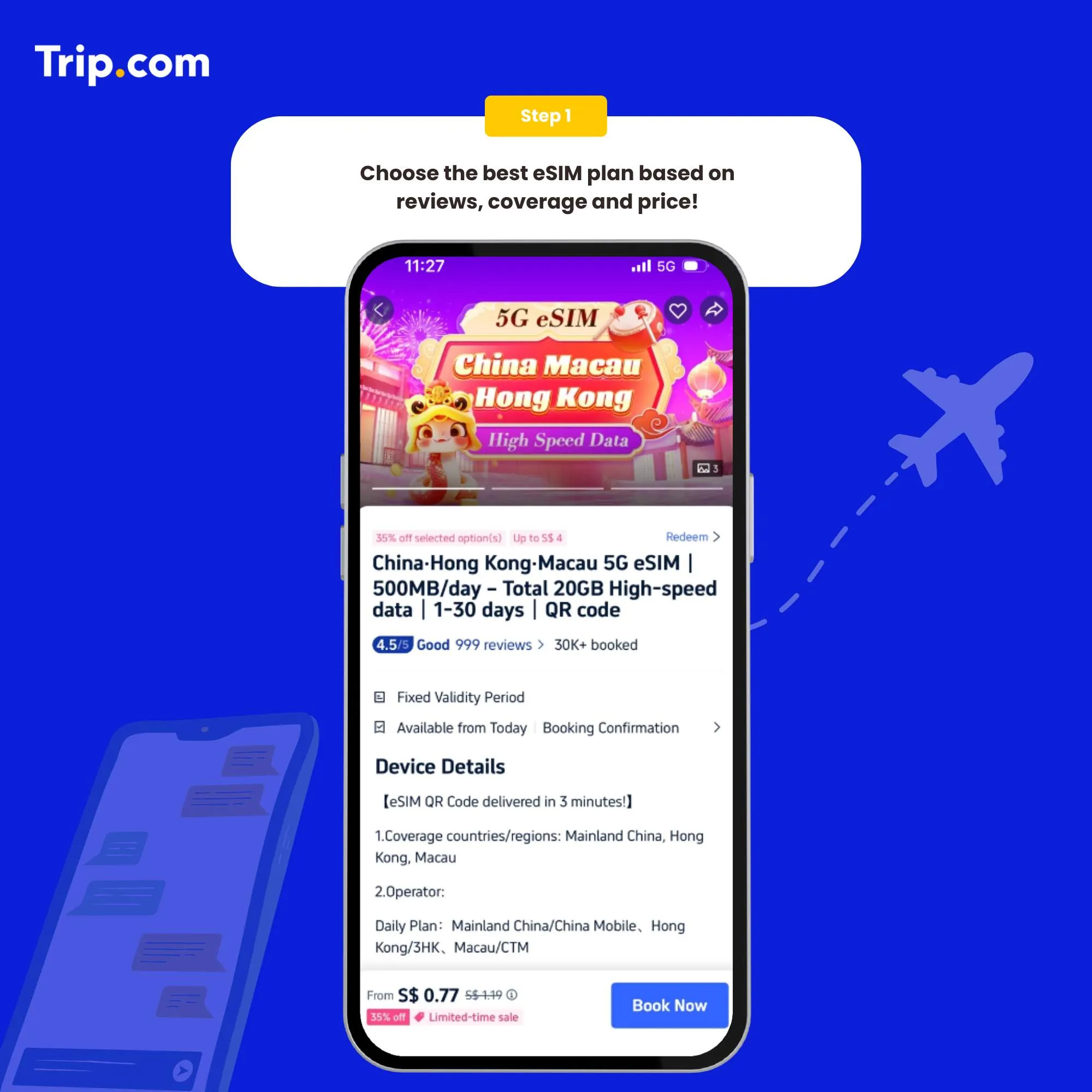
Step 1: Choose the best eSIM plan

There are several providers that offer Malaysia eSIMs. Choose the one that best suits your needs.

How to activate eSIM Step 1: Choose the best eSIM plan

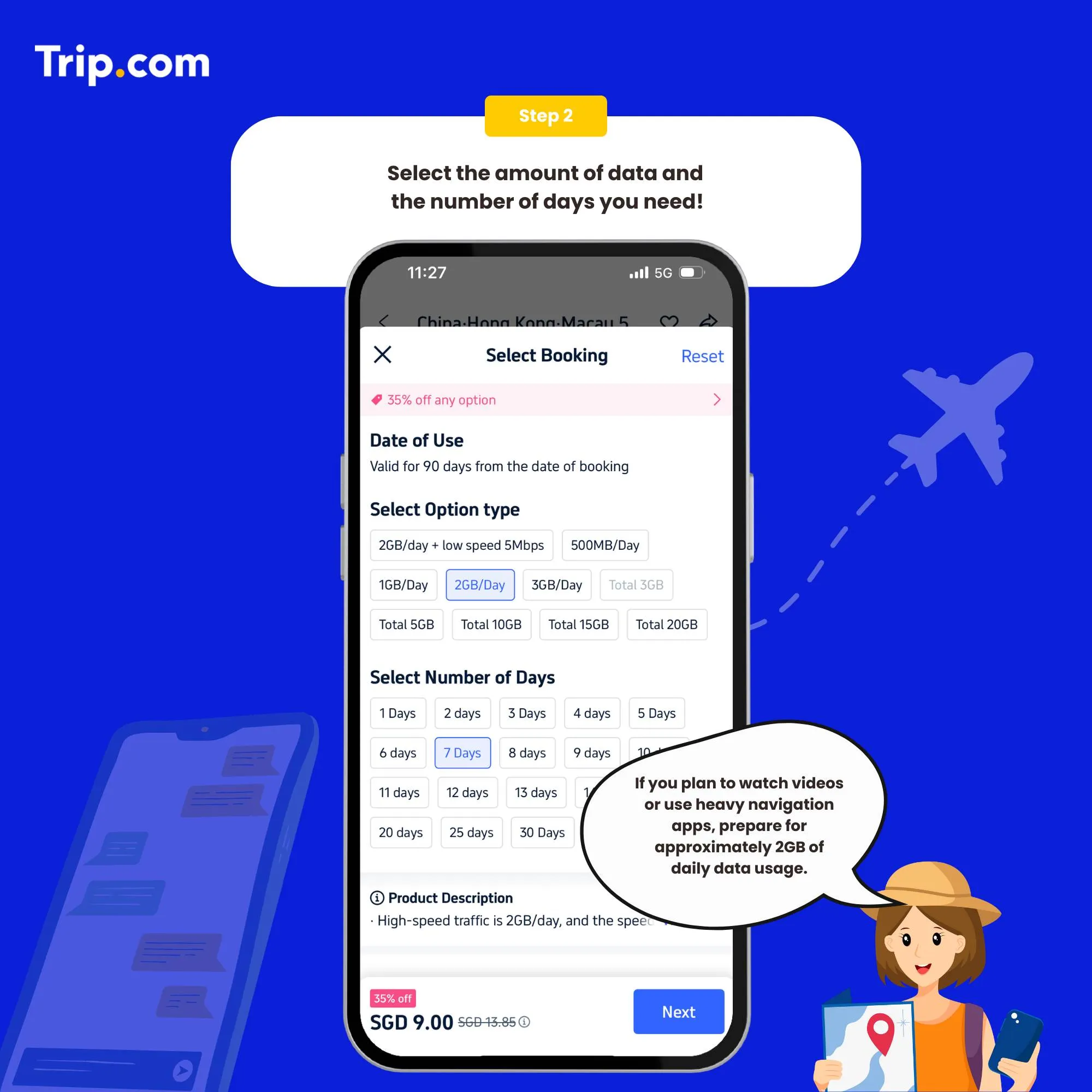
Step 2: Select the data package

Once you've chosen a provider, you'll need to purchase a data plan that suits your needs.

How to activate eSIM Step 2: Select the data package

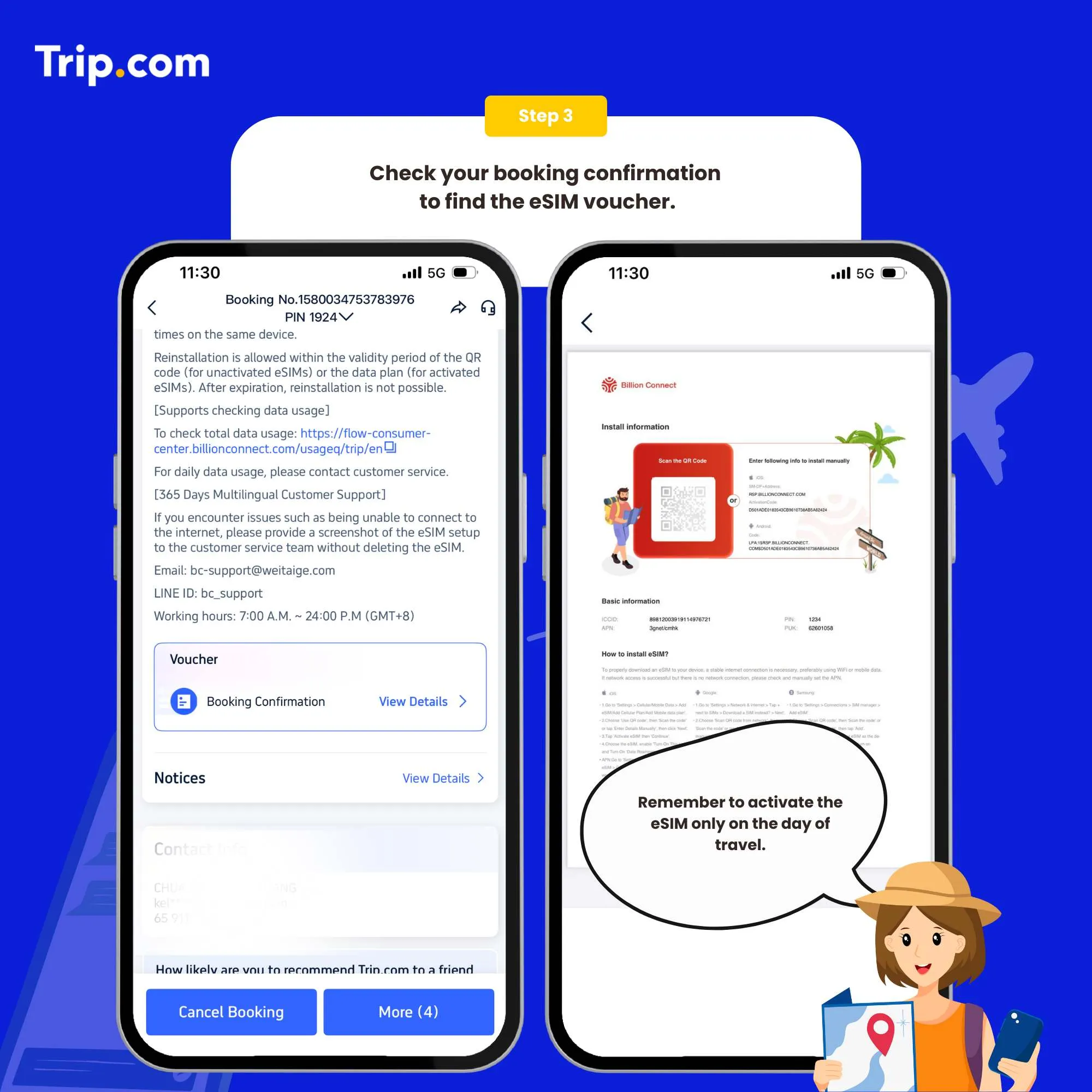
Step 3: Receive your ACTIVATION EMAIL

You will receive an email with installation instructions and a reminder of the latest installation time. Please make sure that there’s available WIFI or connected to networks before installation.

How to activate eSIM Step 3: Receive your booking confirmation

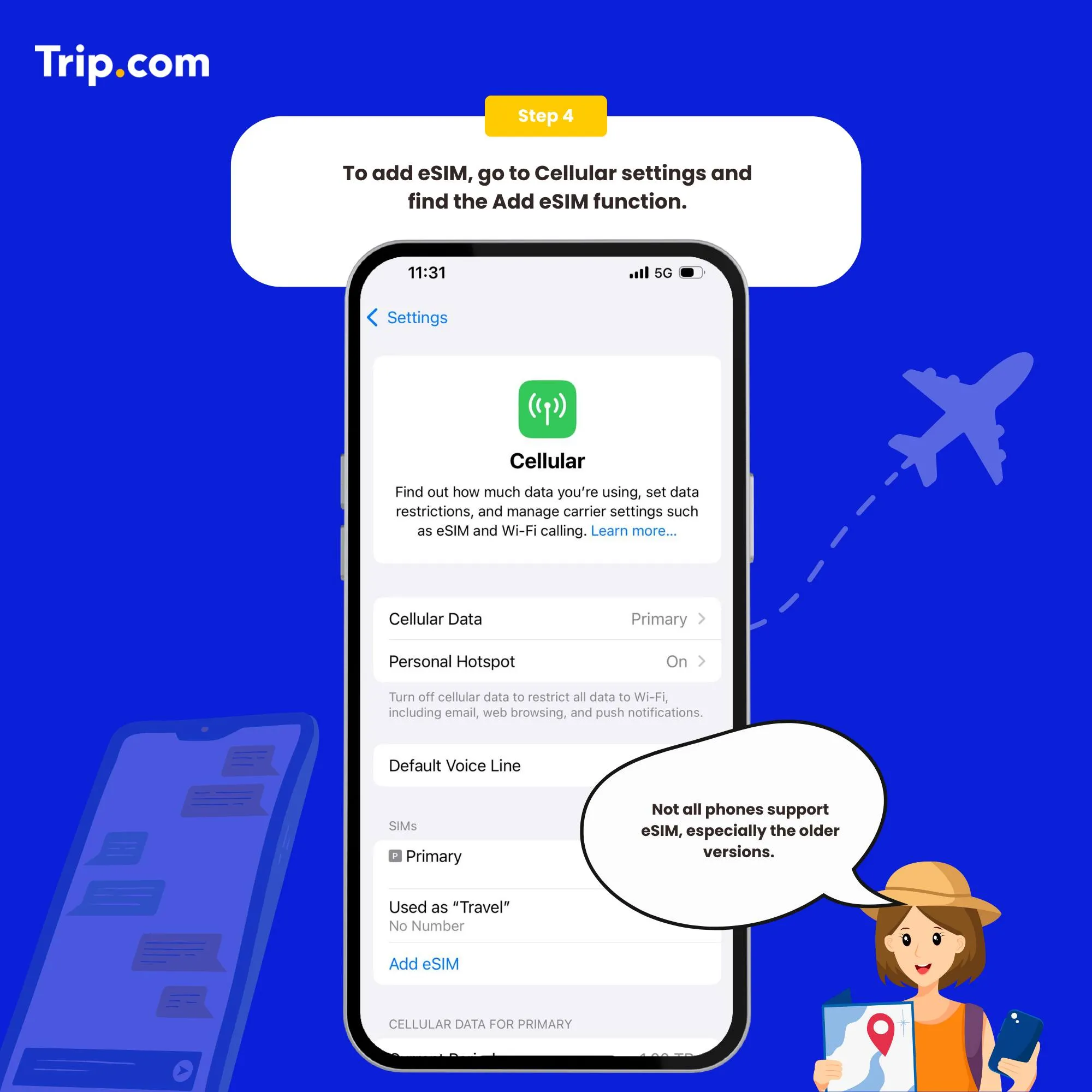
Step 4: Add your eSIM

To activate the eSIM, simply scan the QR code on your phone.

Set as the instructions:

  1. System - Settings - Cellular (iOS) / SIM Card Management (Andriod).
  2. Add a Cellular Plan (iOS) / SIM Card (Android).
  3. Agree to download Cellular Plan (iOS) or SIM Card (Android).
  4. Scan the QR code in the received email for activation (or enter SM-DP +Address and Activation Code manually).
How to activate eSIM Step 4: Add your eSIM

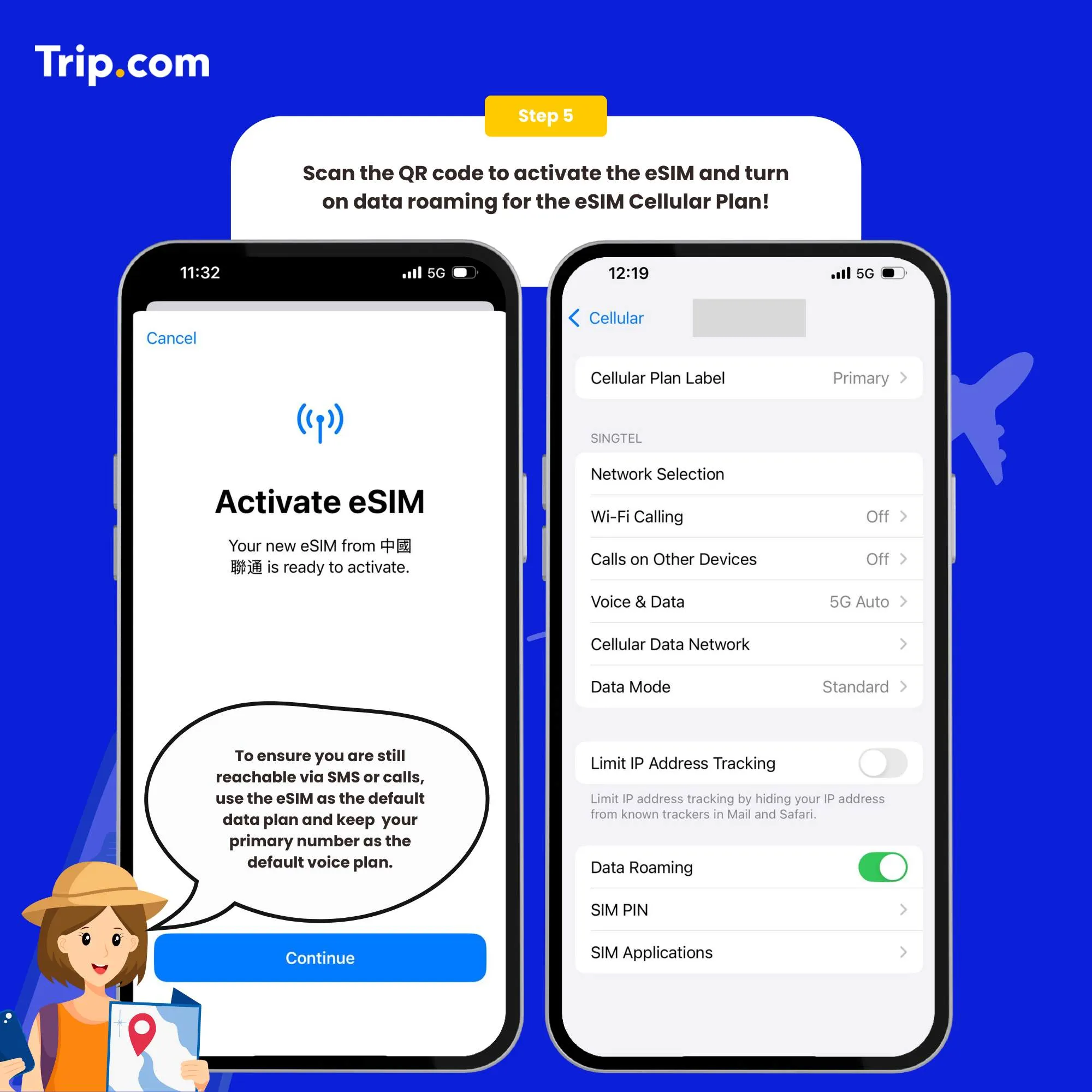
Step 5: Scan the QR code to activate your eSIM

  1. After the completion of the installation, we recommend that you disable eSIM until you reach your destination.
  2. After the download is successful, close the primary card if you already have one. Enable the Cellular Plan (iOS) or SIM Card (Android).
  3. After arriving at the destination, please open your eSIM, and turn on roaming. Then you can access the Internet.

You can now connect to the Internet and enjoy the convenience of Japan eSIM as per your selected plan.

How to activate eSIM Step 5: Scan the QR code to activate your eSIM
💥Note: If there are problems such as activation failure, please contact Customer Service without deleting the eSIM.(*The eSIM can only be installed one time by one phone or one device. If removed, it cannot be added again.)

How to close?

Open the open Cellular (iOS) or SIM Card Management (Android), and click to turn off the Cellular Plan (iOS) or SIM Card (Android) (the steps of enabling and disabling are the same).

Who Are the Main Telco Operators in Malaysia?

esim malaysia

Maxis (Hotlink)

Maxis, through its prepaid brand Hotlink, is popular among both locals and travelers. Hotlink supports eSIM activation for compatible devices and is praised for its fast internet speed, urban coverage, and affordable data plans.

Unifi Mobile

Unifi Mobile, operated by Telekom Malaysia, offers good coverage in urban centers and is steadily expanding its eSIM support. It's ideal for users seeking straightforward, no-frills mobile data options at fair rates.

U Mobile

U Mobile stands out with its budget-friendly pricing and competitive data offers. It supports eSIM on select devices and is a solid choice for short stays or heavy data users, especially in metro areas like Kuala Lumpur and Penang.

CelcomDigi

One of Malaysia’s largest mobile operators, CelcomDigi is known for its wide coverage, especially outside major cities. They offer both prepaid and eSIM-compatible data plans suitable for tourists, including flexible packages and strong 4G/LTE networks.

How to Choose the Best Malaysia eSIM?

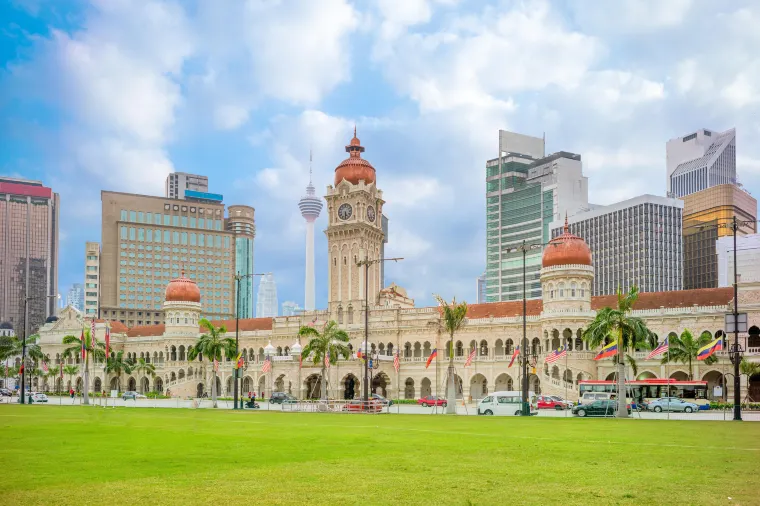
Sultan Abdul Samad Building

Coverage

Make sure to choose an eSIM provider with strong coverage in popular spots like Kuala Lumpur, Penang, Langkawi, and the Cameron Highlands. Go for those with reliable 4G or 5G networks — and don’t forget to check real user reviews, especially if you're planning to head outside the big cities.

Usage

Just using WhatsApp, checking emails, or browsing maps? A 1GB per day plan should be enough. But if you're into streaming, uploading photos, or using apps like Grab and Google Maps a lot, consider a 2GB or even unlimited plan so you won’t run out of data halfway through the day.

Pricing

Compare different eSIM packages based on how much data you get, how long the plan lasts, and of course, the price. Some offer quick 3-day packs, while others last up to 30 days or more. Choose one that fits your travel plans and budget — no point paying for data you won’t use.

Flexibility

Go for a provider that lets you top up or extend your plan easily. If your trip gets longer (or you’re just having too much fun to leave!), it’s good to have the option to upgrade your data without hassle or extra charges.

Services

Look out for helpful extras like English-speaking support, fast activation, and easy access to apps like Grab or Google Maps. Some providers even offer coverage for more than one country — perfect if you’re hopping over to Singapore or Thailand too.

Who Uses Malaysia eSIM?

National Masjid of Malaysia

Frequent Travelers

Whether you're heading abroad for work, a holiday, or visiting family, Malaysian travelers will love the convenience of reusing an eSIM profile or activating a new one instantly — no SIM swapping needed.

Business Travelers

Stay connected and productive during your overseas work trips. From video meetings to emails and mobile office apps, an eSIM gives you smooth, reliable access — without the expensive roaming charges.

Tourists

Going on a trip? With an eSIM, you’ll have mobile data from the moment you land — perfect for using transport apps, maps, food reviews, and staying active on social media.

Students

If you're going abroad for short-term studies or an exchange program, a travel eSIM lets you stay connected to your coursework, friends, and family — all without committing to long-term contracts.

Find the Best Malaysia eSIM

Petronas Twin Towers

Skip the airport SIM card booths and forget about expensive roaming charges. With a Malaysia eSIM, getting connected is super easy — just buy online, scan the QR code, and you’re instantly ready to go. No queues, no stress.

Enjoy fast, affordable mobile data wherever you are in Malaysia — from exploring the Petronas Towers, diving in the clear waters of Sabah, to shopping in Bukit Bintang. You’ll have full access to all your go-to apps and services, without the hassle of juggling physical SIM cards.

🎉Pro Tip: Looking for the ultimate travel experience? Don’t miss out on the Malaysia travel guide for tips, top attractions, plus insider local insights!

FAQs: eSIM Malaysia

  • What is an eSIM?

    An eSIM is a built-in digital SIM card that connects your phone to the internet without needing a physical SIM. You just activate it digitally — usually by scanning a QR code.
  • How do I activate my Malaysia eSIM?

    Just buy your eSIM online from a reliable provider, scan the QR code using your phone’s settings, and follow the instructions. It only takes a few minutes, and you’re good to go.
  • What are the benefits of using an eSIM?

    eSIMs are super convenient — no more hunting for local SIM cards or paying expensive roaming charges. You’ll get instant data, easy top-ups, and full control over your plan from your phone.
  • Who are the top eSIM providers in Malaysia?

    Major telcos like CelcomDigi, Maxis (Hotlink), U Mobile, and Unifi Mobile all support eSIM. If you want something fast and hassle-free, platforms like Billion Connect are great options too.
  • Can I use my current phone with a Malaysia eSIM?

    Yes, as long as your phone is unlocked and eSIM-compatible. Most newer iPhones, Samsung Galaxy models, and Google Pixel phones support eSIM. Just check your device settings to be sure.
>
eSIM Malaysia