

How to Change Passport Number & Name on a Booked Flight


If you need to update your passport number or name after booking a flight on Trip.com, check out this guide 👀
Here's how you can change your passport details using the Trip.com mobile app. We'll use a flight booking as an example for this process 👇👇👇
Change Passport Step 1: Find Your Upcoming Booking
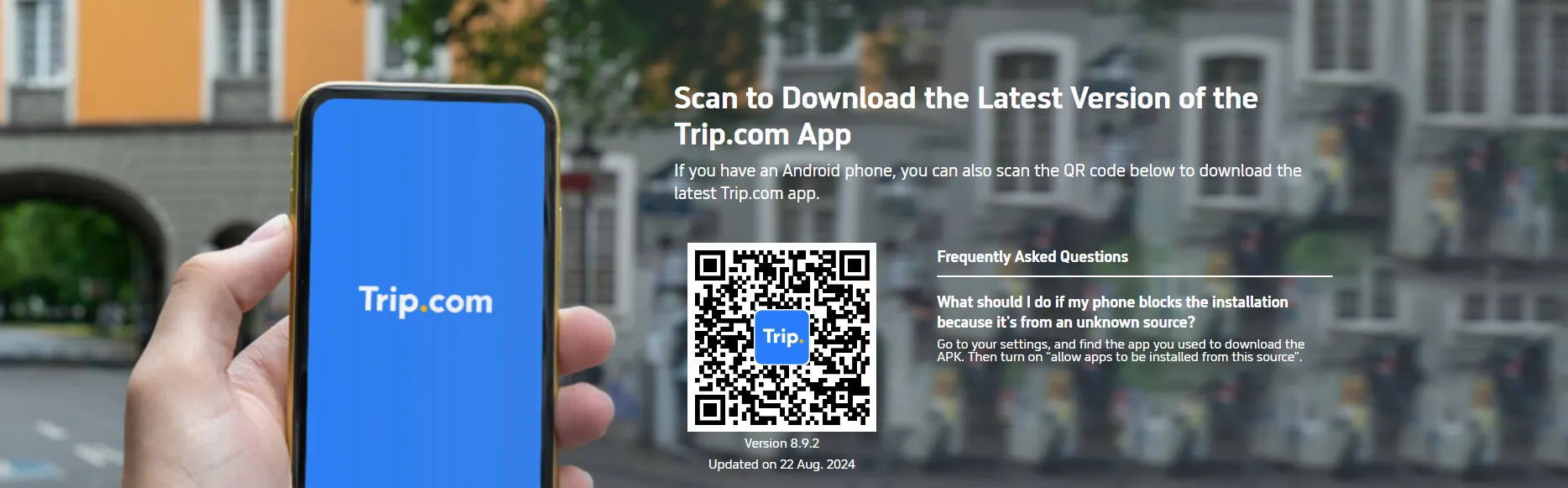
If you don’t have the Trip.com app, just click above to download it first 👍
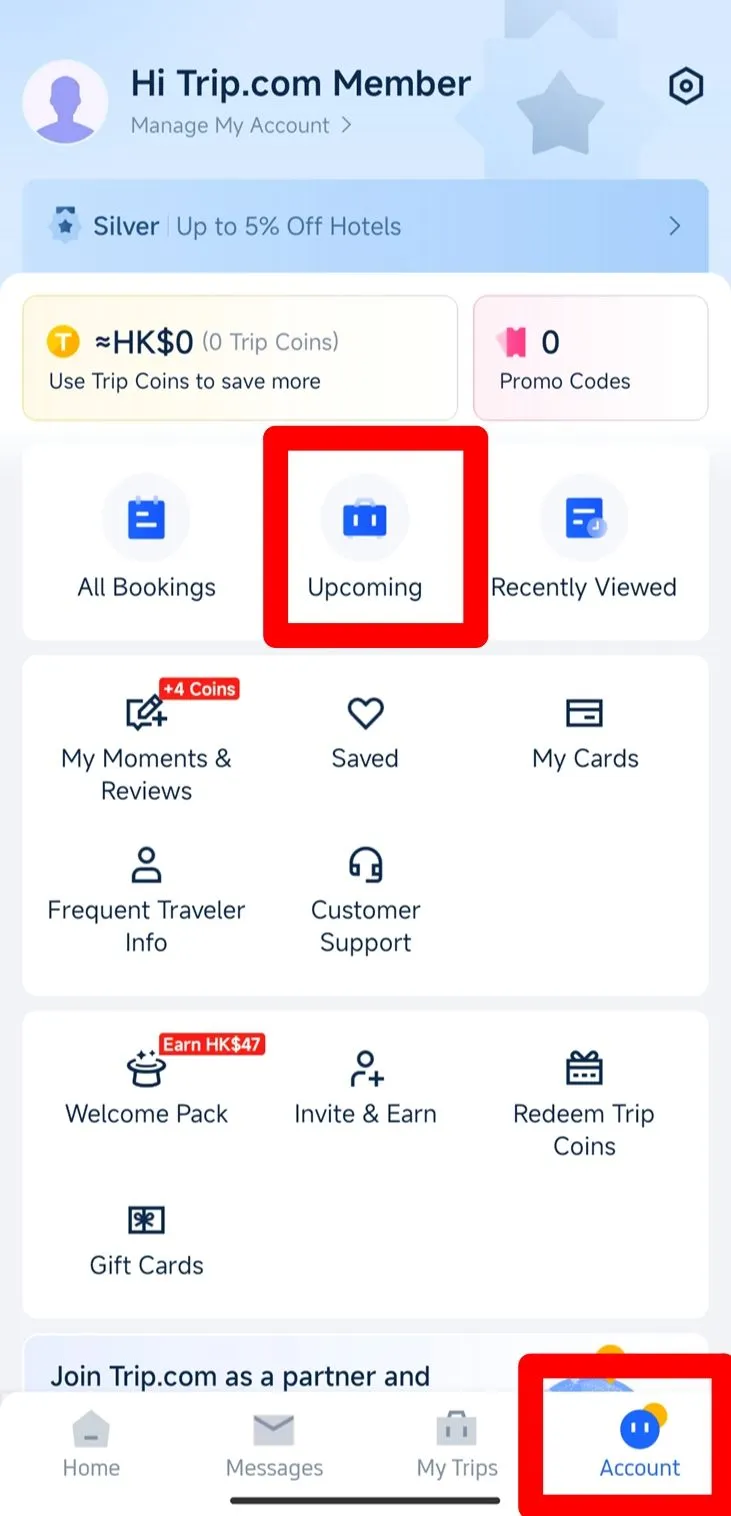
- Open the App: Start by launching the Trip.com app on your phone.
- Go to 'Account': At the bottom of the screen, tap on the "Account" tab.
- Find 'Upcoming': On the "Account" page, scroll to the middle section where you’ll see "Upcoming".
Change Passport Step 2: Check Your Flight Status
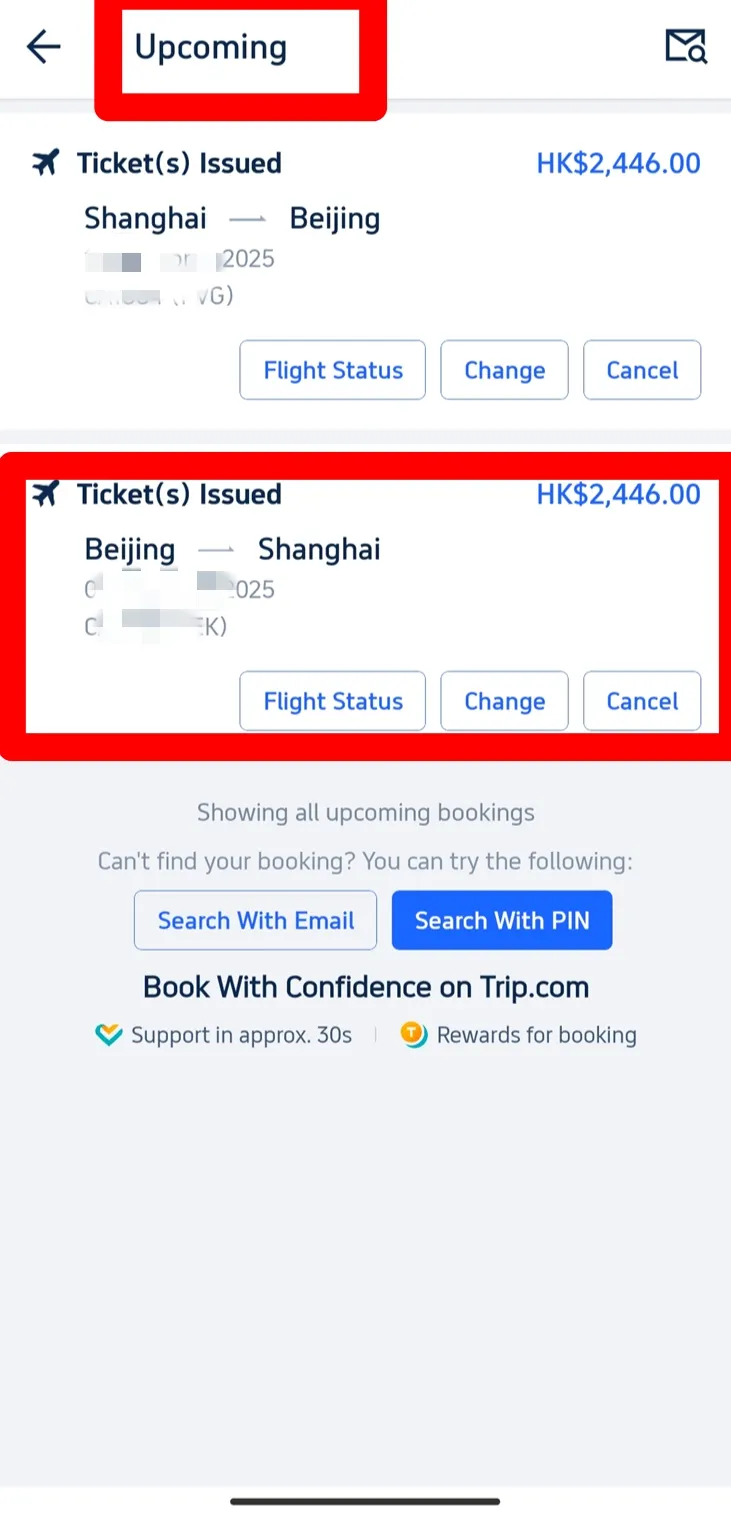
- Select Your Flight: Tap on "Upcoming" to view your bookings. Choose the flight you want to update, for example, from Shanghai to Beijing.
- Tap 'Flight Stat': On the flight page, you’ll see a "Flight Status" button. Tap it to view your booking details.
Change Passport Step 3: Edit Passenger Information
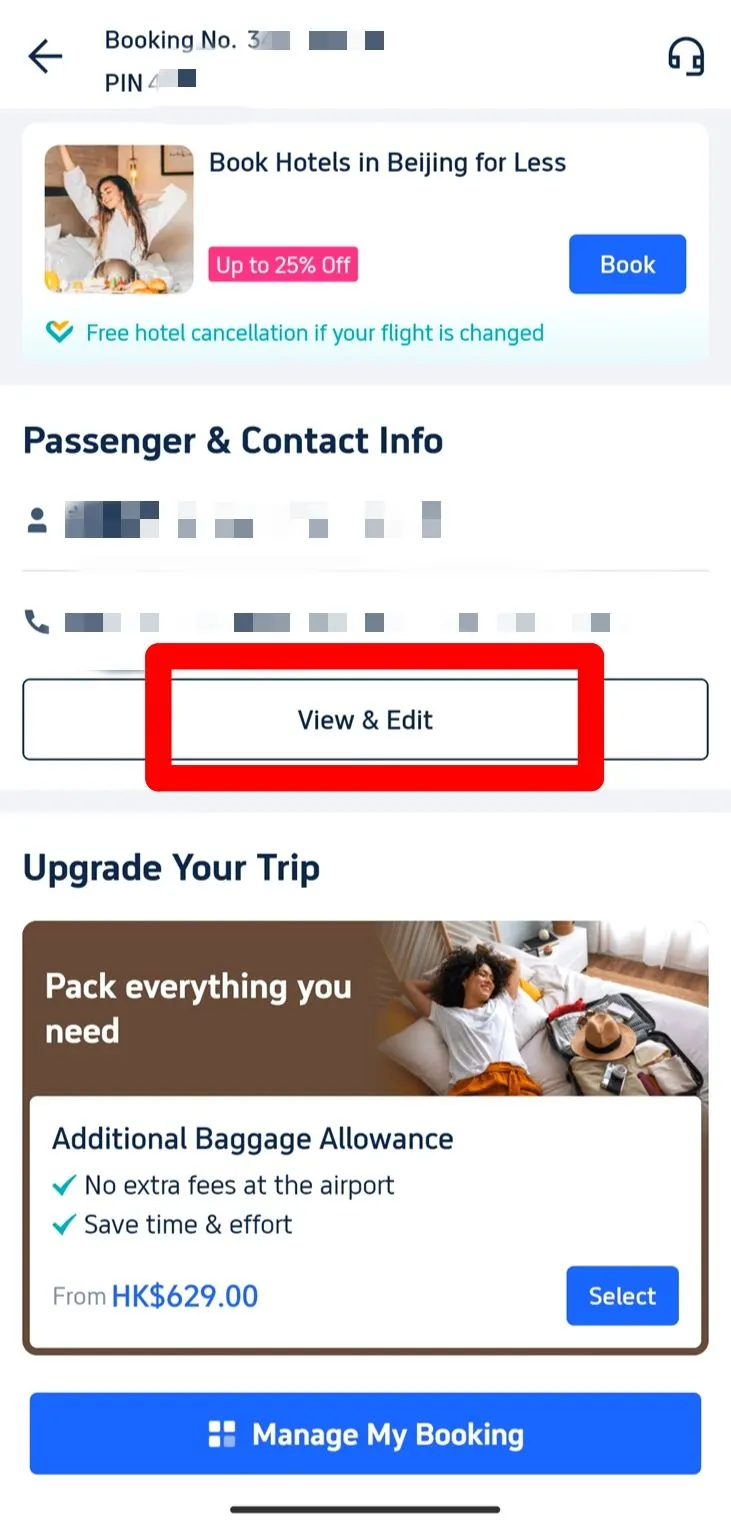
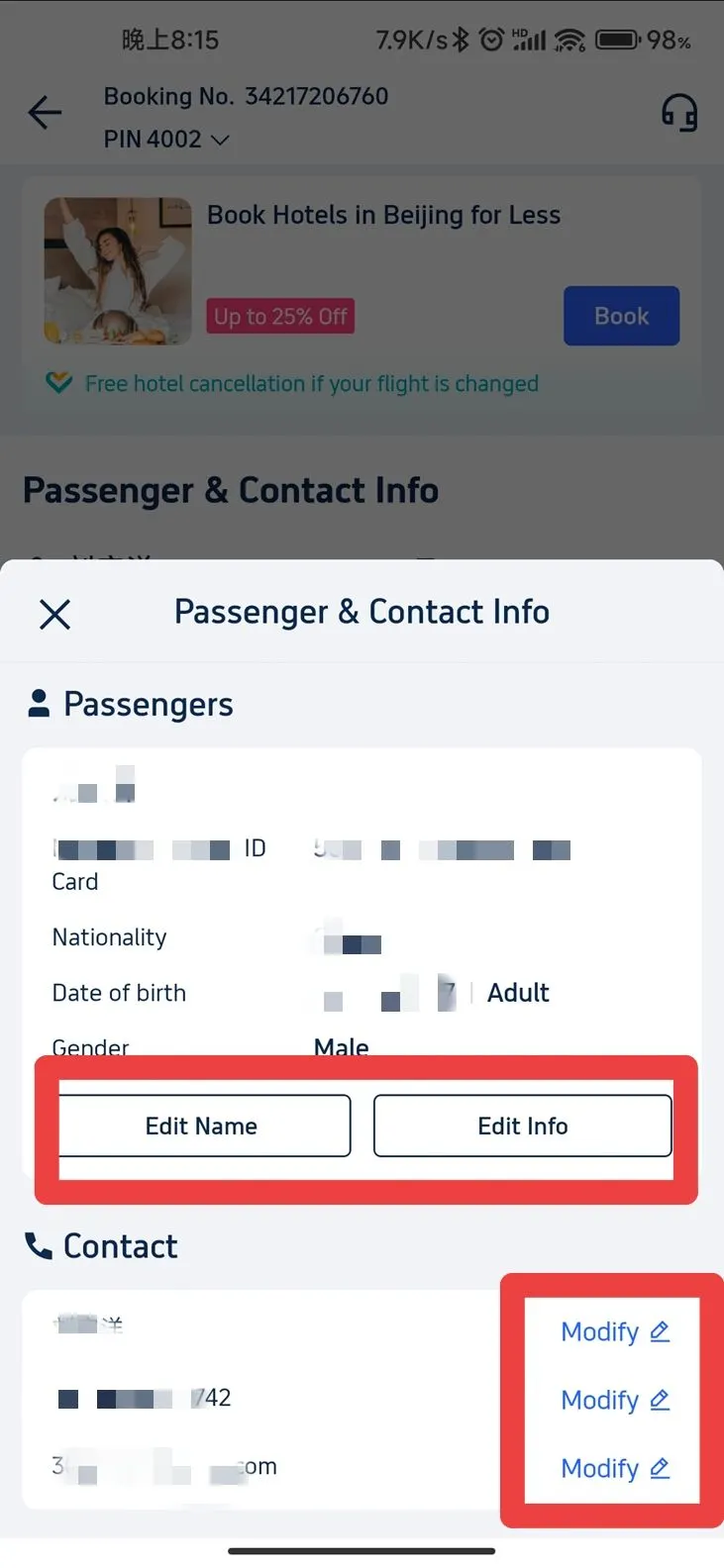
- Find 'Passenger & Contact Info': On the booking page, look for this section where you can see your name, ID, passport number, etc.
- Tap 'Edit': Click the "View & Edit" button to update your details.
Change Passport Step 4: Update Passport Information
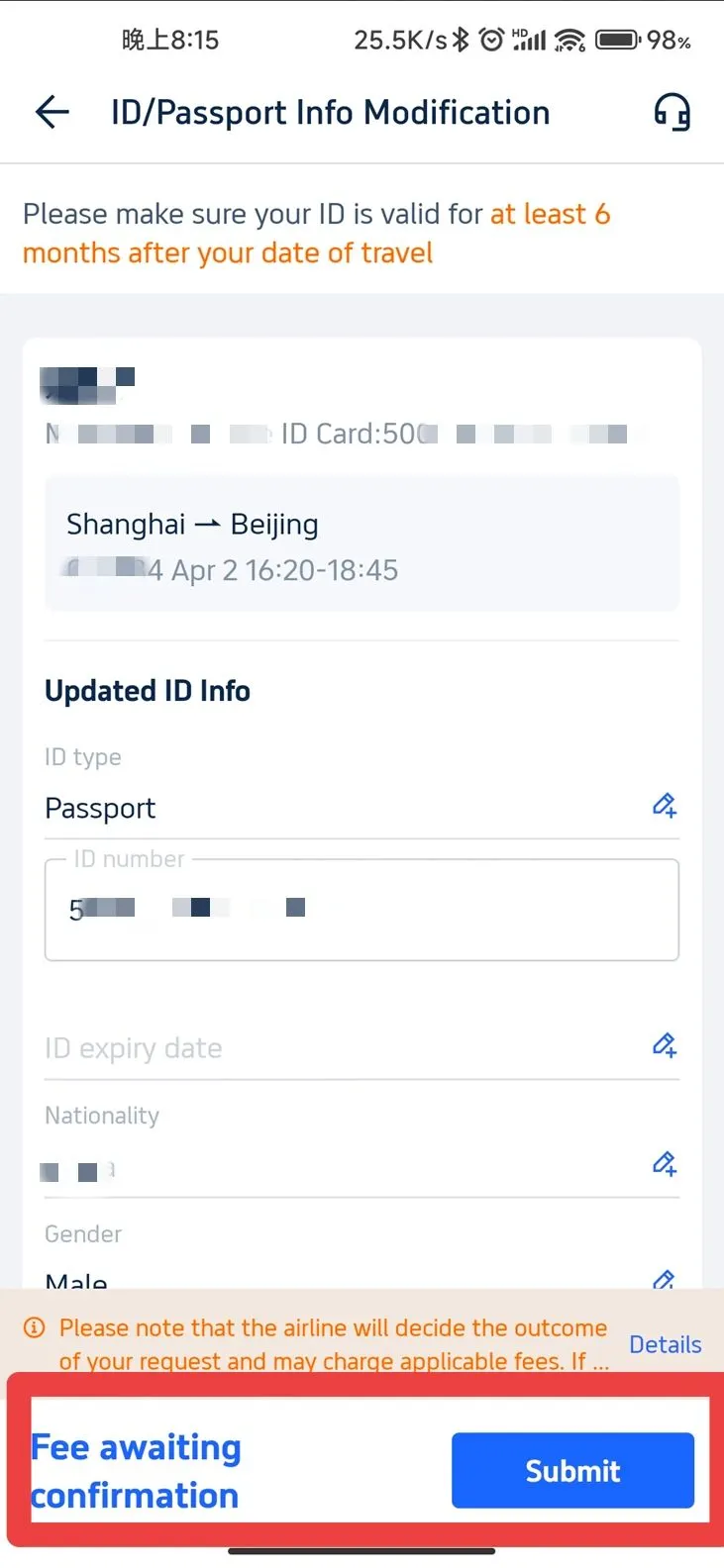
- Edit Your Information: On the next page, you’ll see fields for your name, passport number, and other details. Click on the one you need to change and enter the new information.
- Update Contact Information (Optional): You can also update your phone number, email, or name in the "Contact Info" section.
Change Passport Step 5: Submit Your Changes
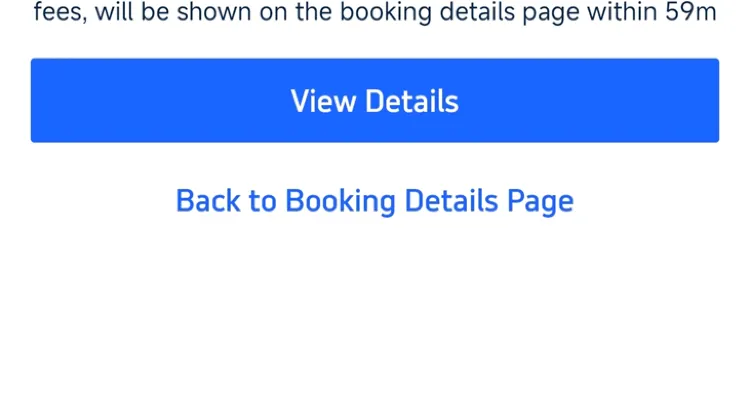
- Save Your Changes: Once everything looks good, click "Submit" to save the updates.
That's it! Your flight booking should now show the correct passport details. Safe travels with Trip.com!
Start Your Journey with Trip.com!
Trip.com is an international online travel agency that provides 24/7 customer service in multiple languages. Trip.com offers easy booking for flights, hotels, tours, and activities. As a Platinum and Diamond member of Trip.com, you can enjoy benefits such as airport lounge access, earn more Trip Coins, save on hotel bookings, and access other exclusive membership perks. Trip Coins are Trip.com’s official rewards currency and are earned through eligible bookings