


Planning a trip? Knowing whether your ticket has been issued is crucial for your travels. This article offers a step-by-step guide to checking your Trip.com ticket status for your upcoming vacation!
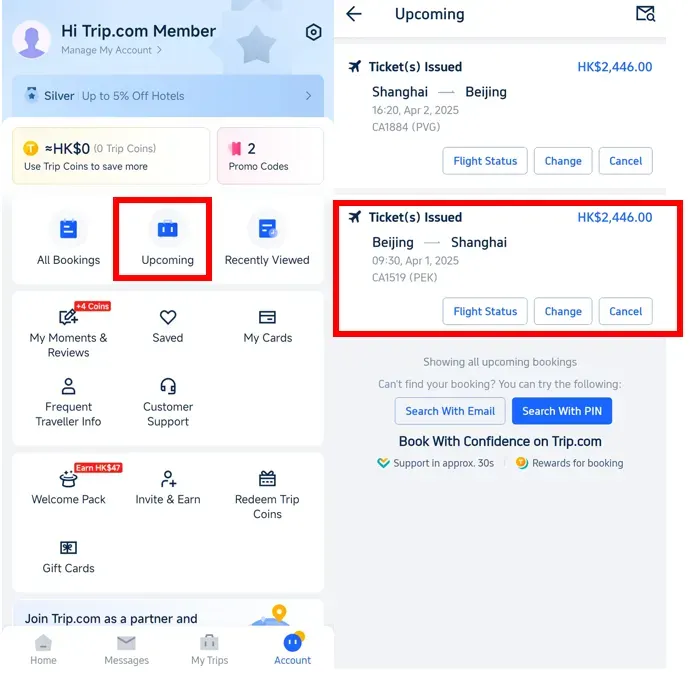
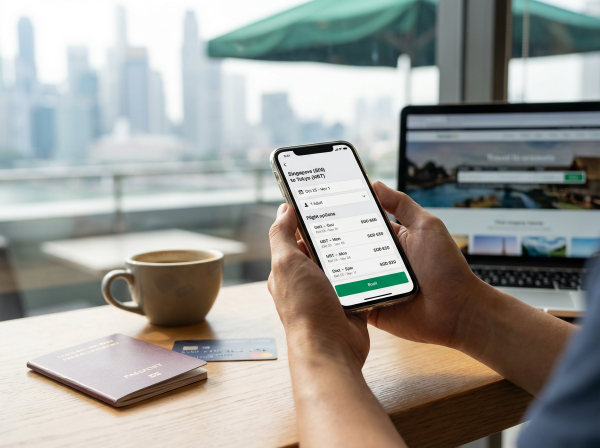
Step 1: Open the Trip.com app to find your flight booking.
- Log in to your Trip.com account and tap "Upcoming" to find your flight booking, then click on it to check the status of your Trip.com ticket issuance.

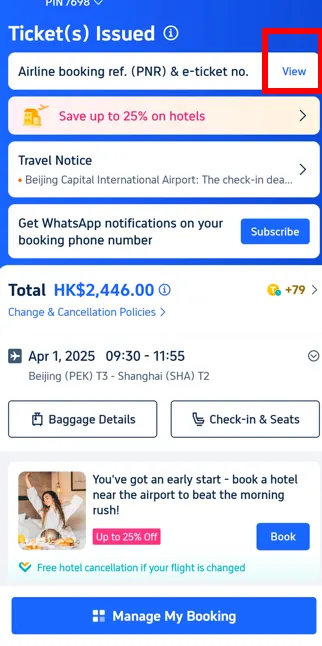
Step 2: Confirm Your Trip.com Booking Status
- Ready to confirm your travel plans? Just click 'View' to quickly check if your Trip.com ticket has been issued!

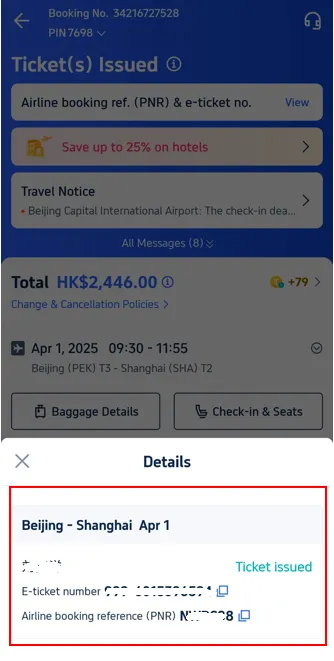
Step 3: Confirm your Trip.com booking is all set!
- Double-check your details to make sure your ticket is all set for your next adventure!

How Long Does It Take for Trip.com to Issue Your Ticket?
Planning your next getaway? If you book your tickets between 6:00 AM and 11:25 PM (GMT+8), Trip.com will send you a swift email notification about your ticket availability, usually within just 15 minutes of your booking. Get ready to explore!
What is the flight booking number (PNR)?

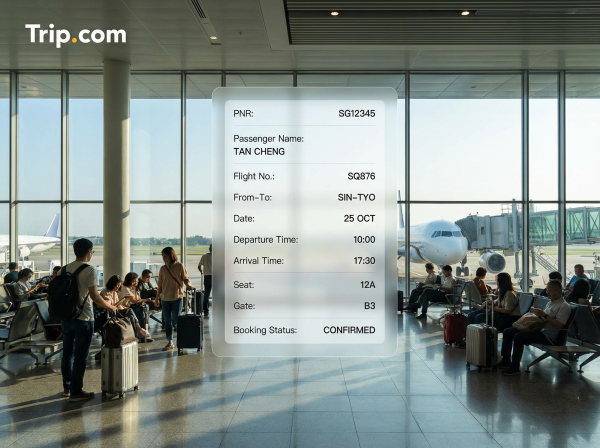
A PNR (Passenger Name Record) is a unique booking number used to identify you and your flight in the airline's system. This code is generated immediately after you successfully book your ticket with Trip.com, so you're all set for your next adventure!
Your flight confirmation number (PNR) acts as your "personal reference number," keeping all your travel details in one convenient spot—from passenger names and flight routes to dates, times, and extra services like seat selection or in-flight meals.
Simply put, if you have a PNR, it means your booking has been successfully recorded; now, you just need to wait for the airline to issue your ticket.
Learn the difference between airline booking numbers (PNRs) and other ticket codes.
Ever found yourself scratching your head over the difference between your PNR (Personal Reference Number), airline booking code, and e-ticket number? You're definitely not alone! Let's unravel this common travel mystery together. Our handy guide below is here to clarify everything and make your journey planning smoother than ever!
What It Means | What to See | |
|---|---|---|
Booking number (PNR) | The booking code issued by Trip.com is used to confirm your reservation with the travel agent. | Get ready for your trip! Your booking confirmation email from Trip.com will be landing in your inbox soon. You can also always find it conveniently on the 'All Bookings' page in the app. |
Airline Confirmation Code | Use the code issued directly by the airline to check your flight details or check in on the airline's website. | You can find this information in your Trip.com booking details or in an email from the airline. |
E-ticket Number | Your 13-digit e-ticket number confirms that your payment is complete and your ticket has been issued. | You'll find it in the final ticket notification email from Trip.com. |
Start Your Journey with Trip.com!

Trip.com is an international online travel agency that offers 24/7 customer service in multiple languages. It makes booking flights, hotels, and exciting tours and activities easier than ever!
As a Platinum or Diamond Member of Trip.com, you can enjoy free airport lounge access, earn more Trip Coins, save more on hotel bookings, get lower train refund fees, and so much more!
🔥 Hotel Coupons: Exclusive Hotels Deal for New Users
Discover the world with trip.com! Book the perfect hotel anywhere in the world and get an unbeatable 10% discount if you're a first-time user! If this is your second time using it, you will receive a 5% discount! Download our app now and start planning your next trip with ease.
Just click this link and download the Trip.com App, after successfully registering as a member, use it when you place an order!
🔥Save More with Up to 10% Off
Use our promo code to enjoy up to 10% OFF on your attraction tickets, tours and eSIMs! There is also a 5% OFF (up to S$3) for new users!
🔥New User Coupon: Save More with an Extra 5% Off
Use our promo code to enjoy an extra 5% off (up to S$4) on your attraction tickets, eSIMs, and tours! ⏳Redeem within 3 days of claiming
FAQs: Ticket Issued Status on Trip.com
What does “Ticket Issued” mean on Trip.com?
It means your payment is successful and the airline has confirmed your seat. Your e-ticket number is generated and your booking is ready to use.How long does it take for a ticket to be issued on Trip.com?
Most tickets are issued within a few minutes, but some airlines may take up to 24 hours, especially during peak periods or for international flights.What if my status is “Pending” or “Processing”?
This means Trip.com is still waiting for airline confirmation. Your seat is not fully confirmed yet.How can I check my ticketing status on Trip.com?
Log in to your Trip.com account, go to My Bookings, and select your flight to view the status.What should I do if my ticket is stuck on pending?
Wait up to 24 hours. If there’s no update, contact Trip.com customer support for assistance.


